
WhatsApp invoice delivery in South Africa works by sending your client a WhatsApp message with a tap-to-pay link to the invoice. Each delivery costs one WhatsApp credit. Credits are available to Premium plan users (R99/month): Premium includes 20 free credits each month, and you can buy more in bundles of 50, 100, 250, 500, or 1,000.
What does the client receive via WhatsApp?
When you send an invoice via WhatsApp, your client receives a WhatsApp message from Rebill with a link they can tap to view the invoice and pay by card through your connected gateway (Paystack, Yoco, PayFast or iKhokha) or by EFT. No login is required on the client side. To include the PDF in the message as well, switch on Show the PDF in WhatsApp messages in Settings > Documents > Document options. The PDF then appears above the text as a file the client can open, save and forward.Checking your balance
Go to Settings > Messages. The Buy WhatsApp credits section shows your current credit balance, split into Free Credits (the monthly credits included with Premium) and Paid Credits (credits you've purchased); the Transaction history section further down the same page lists every purchase.
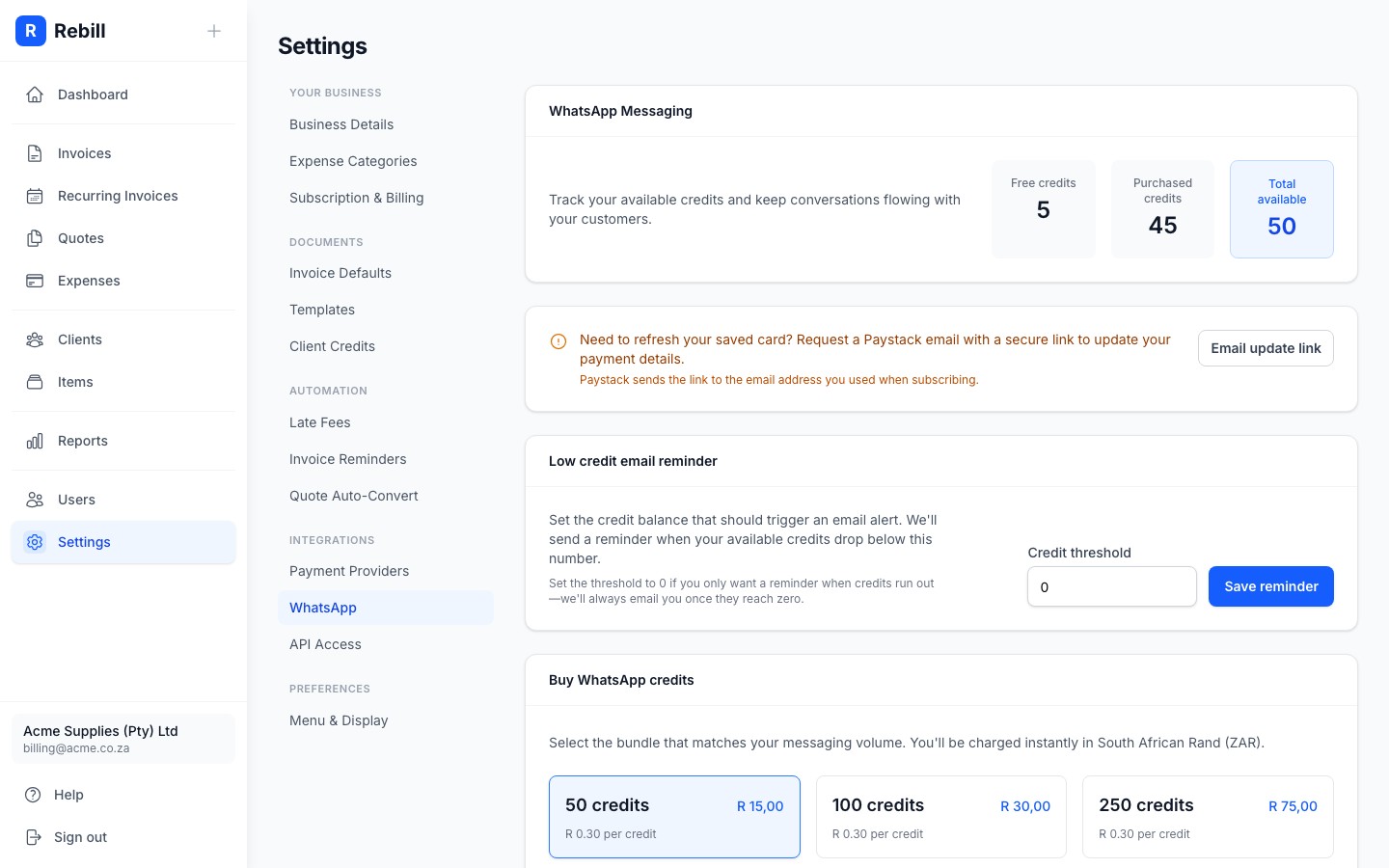
Buying credits
- 1
Go to Settings > Messages
Click Messages under Settings in the sidebar, then click Buy WhatsApp credits in the section rail. - 2
Choose a bundle
Select a credit bundle from the options. Available sizes are 50, 100, 250, 500, and 1,000 credits. The price for each bundle is shown.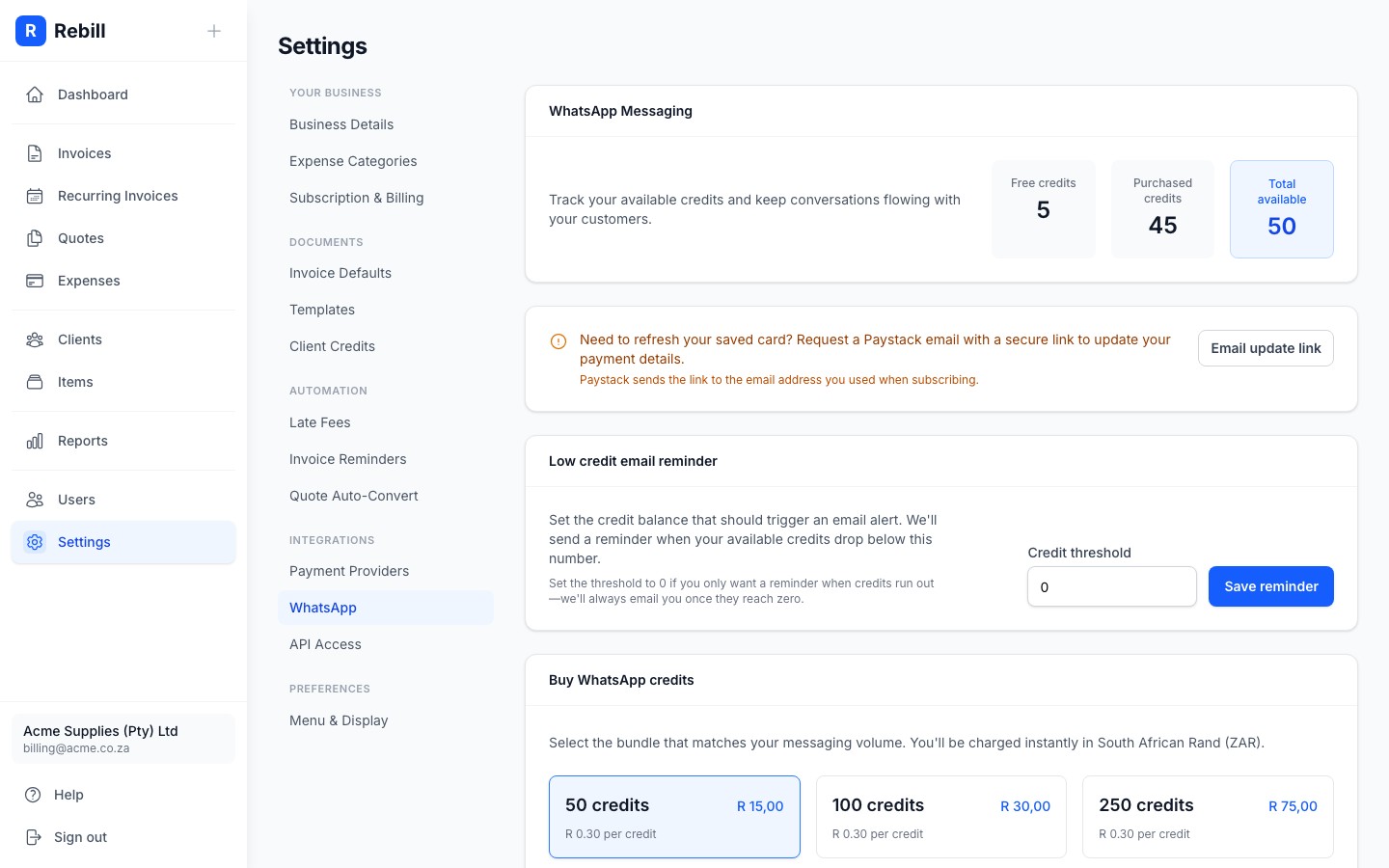
- 3
Click "Buy credits"
A confirmation dialog will appear showing the charge amount. Your saved subscription card will be charged immediately. Credits appear in your account after successful payment.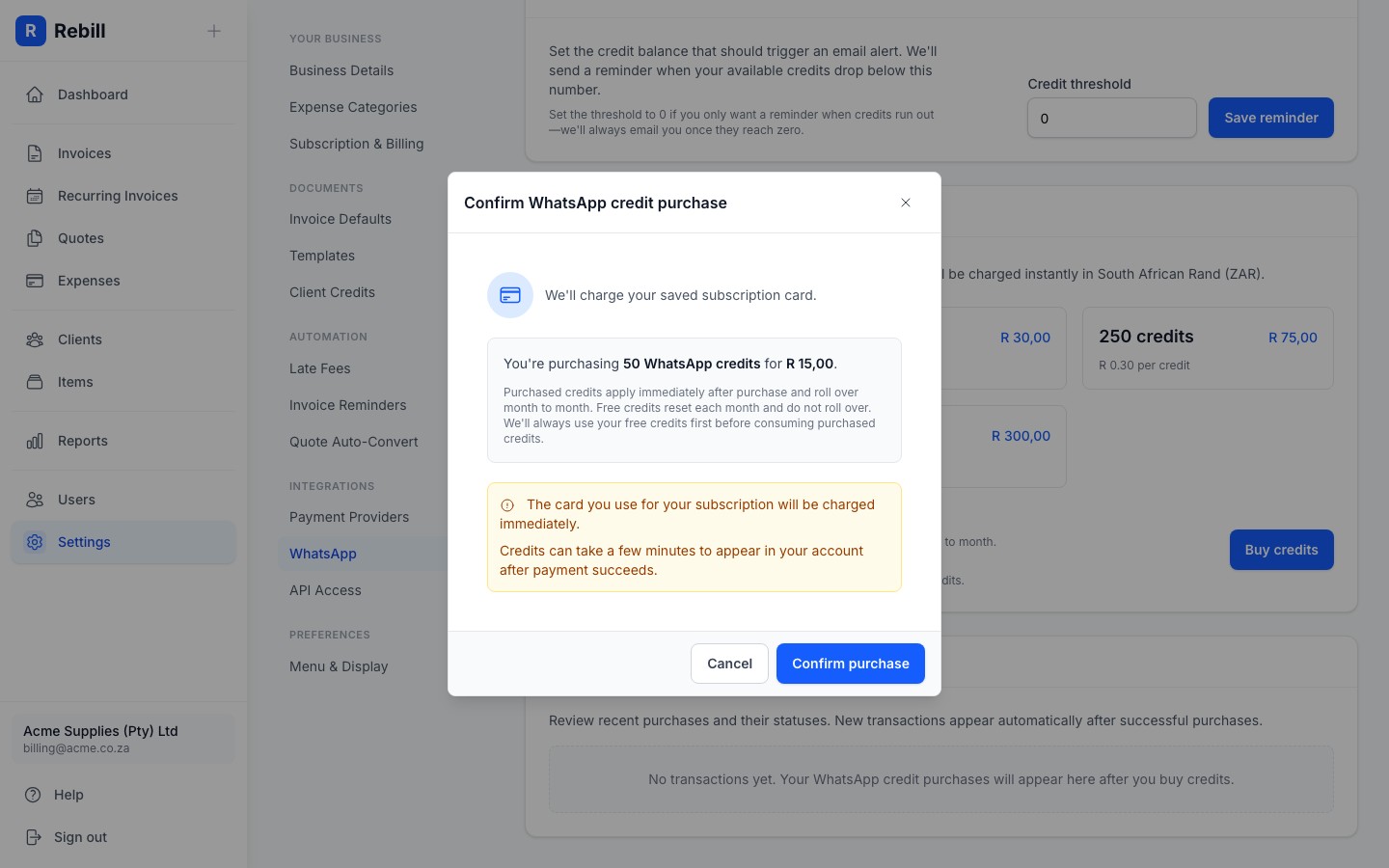
Do WhatsApp credits expire?
Purchased WhatsApp credits never expire and roll over month to month. Free credits reset each month and do not roll over. Rebill always uses your free credits first before consuming purchased credits.Low balance reminder
You can set a threshold in Settings > Messages > Low credit reminder so Rebill emails you when your credit balance drops below a certain number. Set it to 0 to only receive a notification when credits reach zero. This way you won't run out unexpectedly.
Updating the card on file
Credit purchases are charged to the card on your subscription. To switch cards, click Change card in Settings > Account > Plan and billing. The secure Paystack card management page opens in a new tab where you enter the new card details. No emails or support requests needed.