
Rebill occasionally sends emails about new features and offers, separately from the transactional emails your account sends to clients. You can turn these off at any time without affecting anything client-facing.
Turning marketing emails off
- 1
Go to Settings > Account
Click Account under Settings in the sidebar, then click Email preferences in the section rail.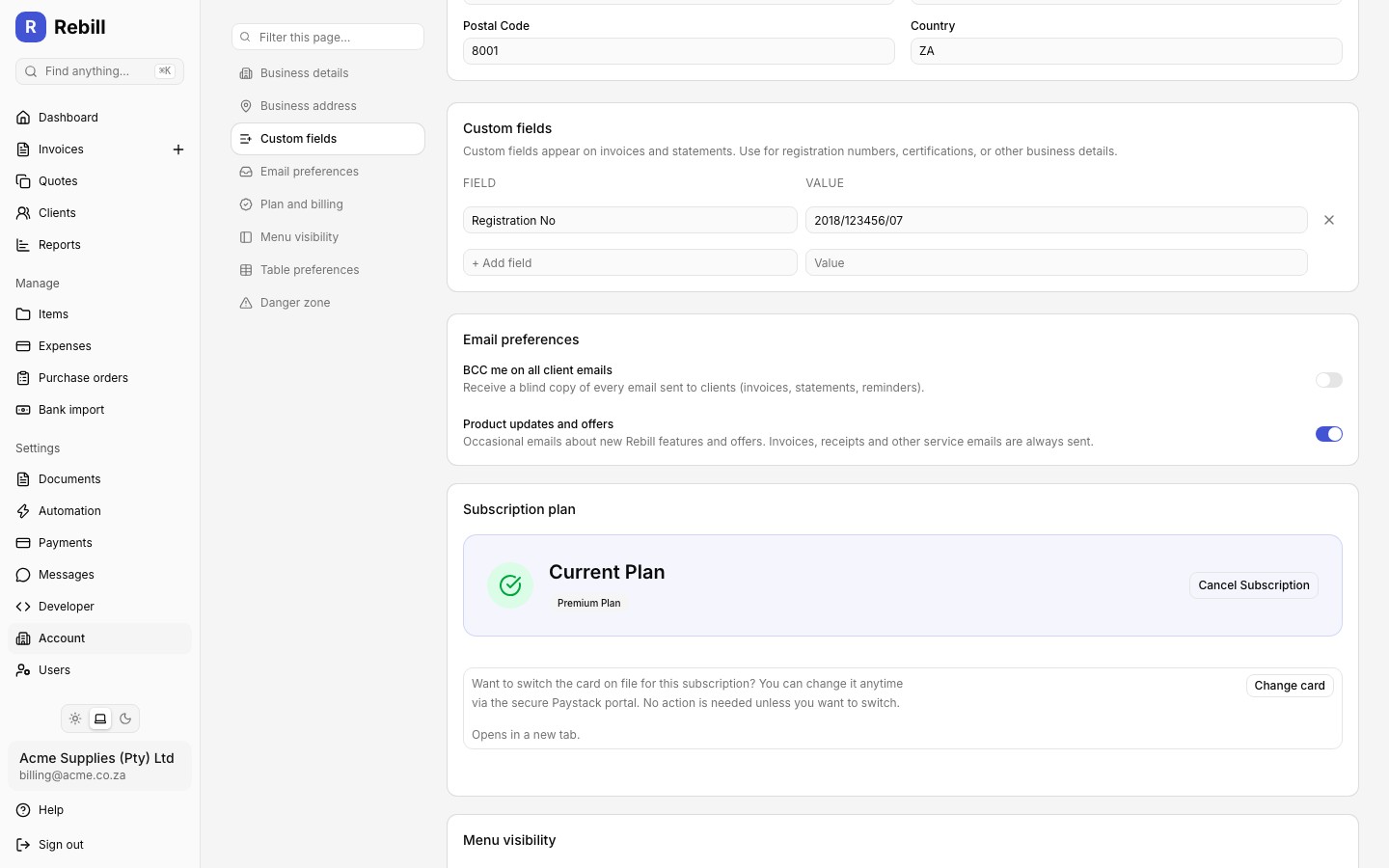
- 2
Toggle off "Product updates and offers"
Turn off the Product updates and offers switch. Your account stops receiving occasional emails about new Rebill features and offers. - 3
Save your changes
A save bar appears at the bottom of the page once you change something. Click Save, or press Cmd+S (Ctrl+S on Windows).
What this does not affect
This toggle only controls marketing emails. Invoices, quotes, receipts, reminders, statements, and every other email your clients or your team rely on are always sent, regardless of this setting.One-click unsubscribe
Every marketing email also includes an unsubscribe link in the footer. Clicking it opens a simple confirmation page and switches the same setting off immediately, no login required, so you never need to dig through Settings if you just want the emails to stop.