
Webhooks let an external system, like your accounting tool or a custom integration, receive a real-time HTTP notification whenever something changes in your Rebill account, such as an invoice being paid or a quote being accepted. You register a URL, choose which events to subscribe to, and Rebill delivers a signed JSON payload to that URL as it happens.
Premium feature
Creating a webhook requires a Premium plan, and the entire Webhooks settings tab is locked behind Premium: free plan accounts see only an upgrade prompt here, with no way to view or manage existing webhooks from Settings. If your account is later downgraded, any webhooks you already created keep delivering in the background, but you lose access to this page (and so cannot edit, test, rotate the secret, or view deliveries) until you upgrade again. The underlying API endpoints for listing, editing, testing, and viewing deliveries are not plan-gated, so an integration using the API directly can still manage those webhooks on a free plan; only the Settings UI enforces the lock.Creating a webhook
- 1
Go to Settings > Developer
Click Developer under Settings in the sidebar, then click Webhooks in the section rail.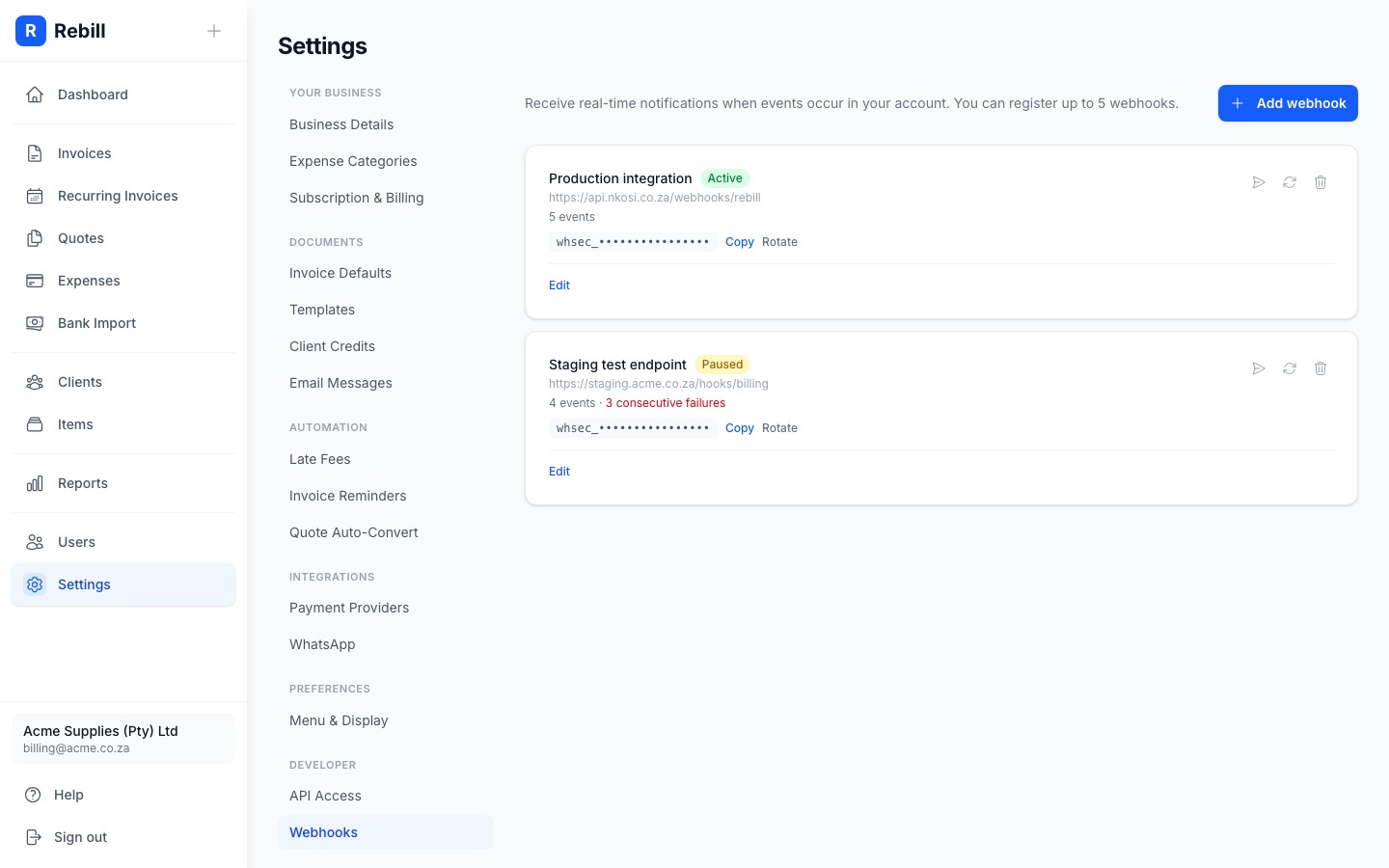
- 2
Click "Add webhook"
A dialog opens asking for the URL that should receive events, an optional Description to help you tell webhooks apart, and a checklist of Events to subscribe to. Use the All / None links above the checklist to select or clear every event at once. Leave Active on to start receiving deliveries immediately.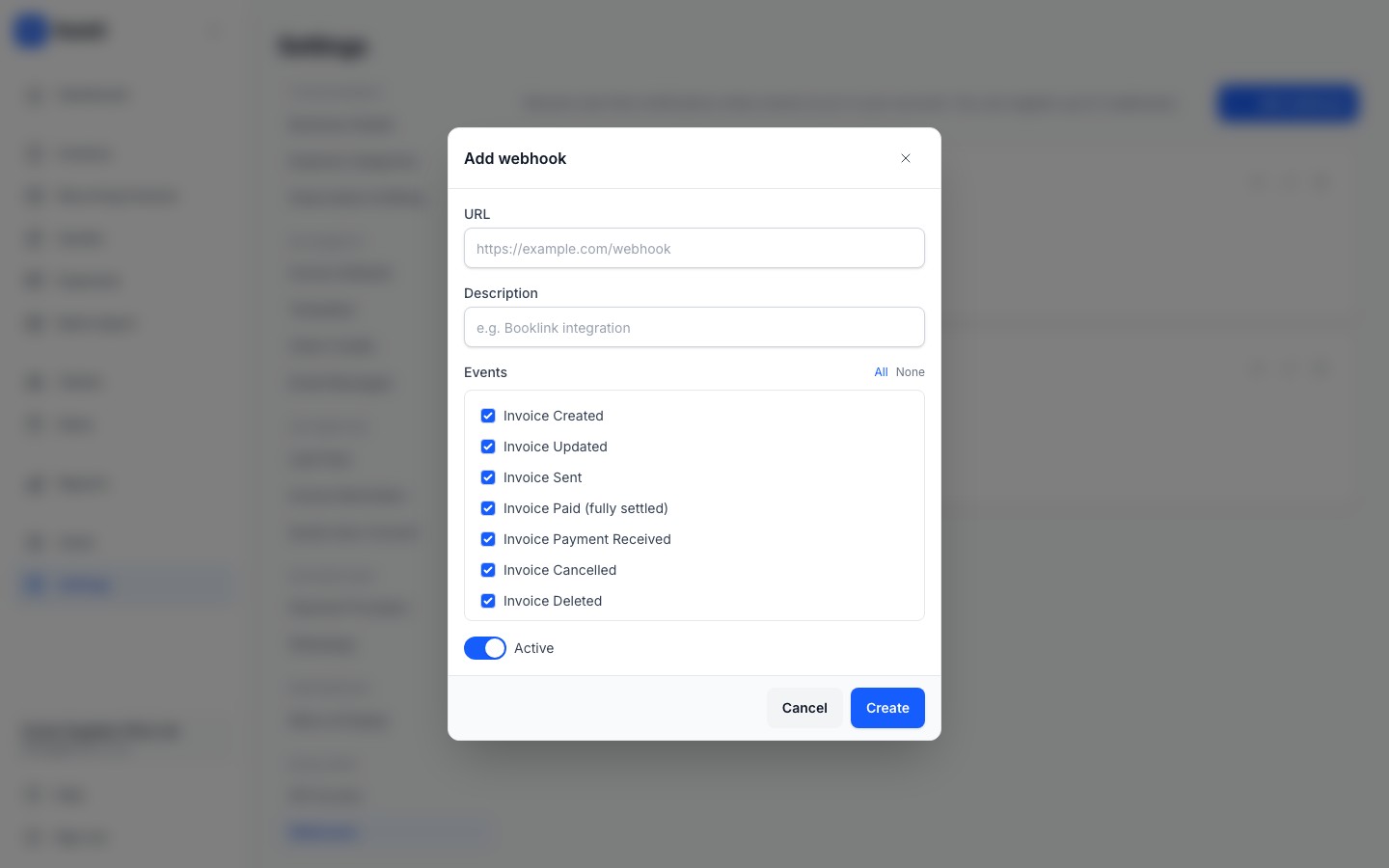
- 3
Click "Create"
Your webhook is registered and its signing secret appears (masked) on its card. Click Copy to copy the full secret to your clipboard, you will need it to verify incoming requests are genuinely from Rebill.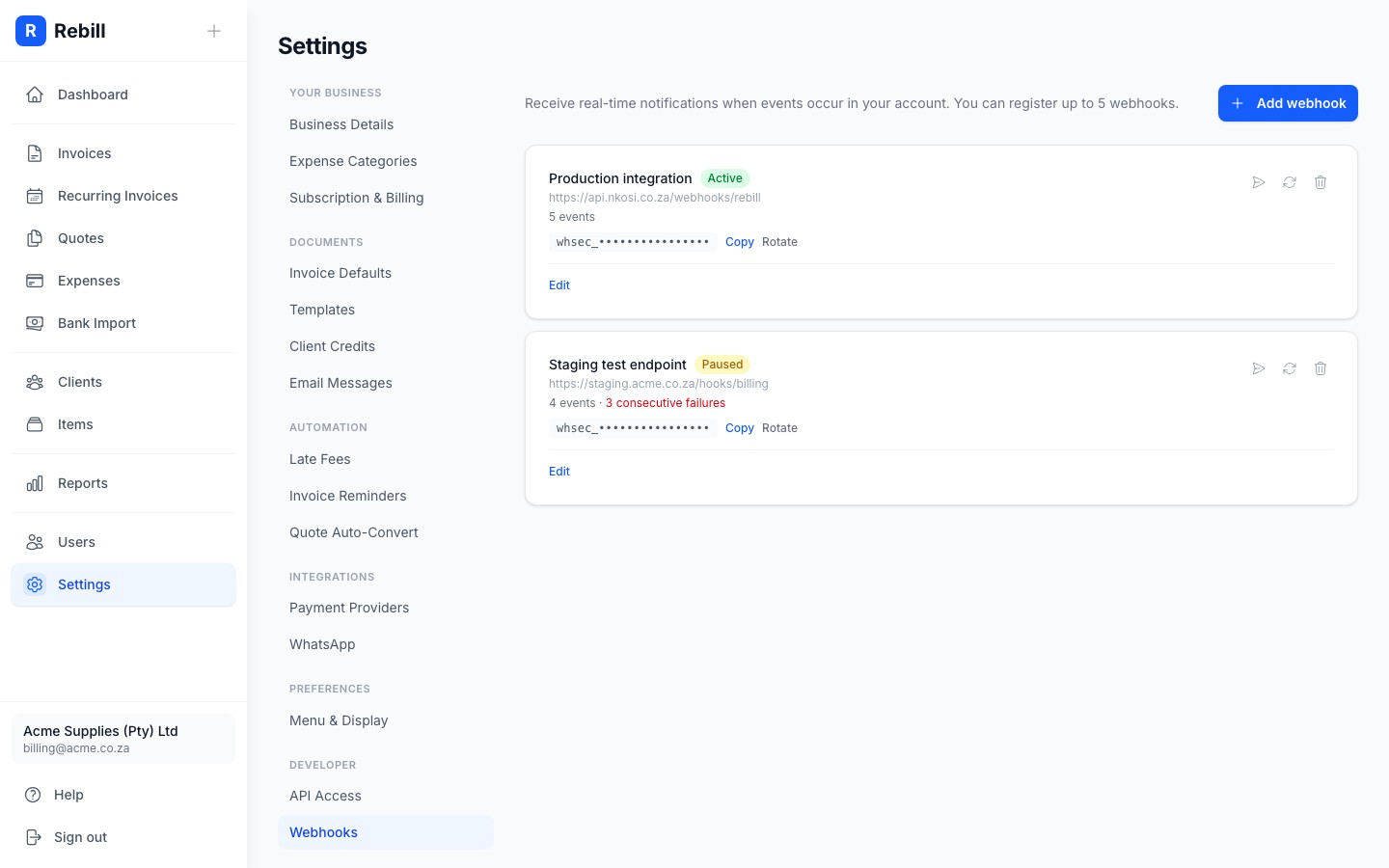
Which events you can subscribe to
Rebill currently offers 22 events across six resources:
- Invoices: Created, Updated, Sent, Paid (fully settled), Payment Received, Cancelled, Deleted, Credited (fully reversed by credit notes)
- Credit notes: Issued
- Refunds: Recorded
- Quotes: Created, Updated, Sent, Accepted, Declined, Expired, Converted, Deleted
- Clients: Created, Updated, Deleted
- Payments: Received
Each webhook can subscribe to any combination of these, and you can register up to 5 webhooks per account.
Managing an existing webhook
Each webhook's card in Settings > Developer > Webhooks shows its status (Active, Paused, or Disabled), how many events it is subscribed to, and its masked secret. From there you can:
- Edit the URL, description, events, or active flag.
- Rotate the signing secret if you suspect it has leaked. Update your integration with the new secret straight away, deliveries signed with the old one will fail verification.
- Click the send icon to fire a test
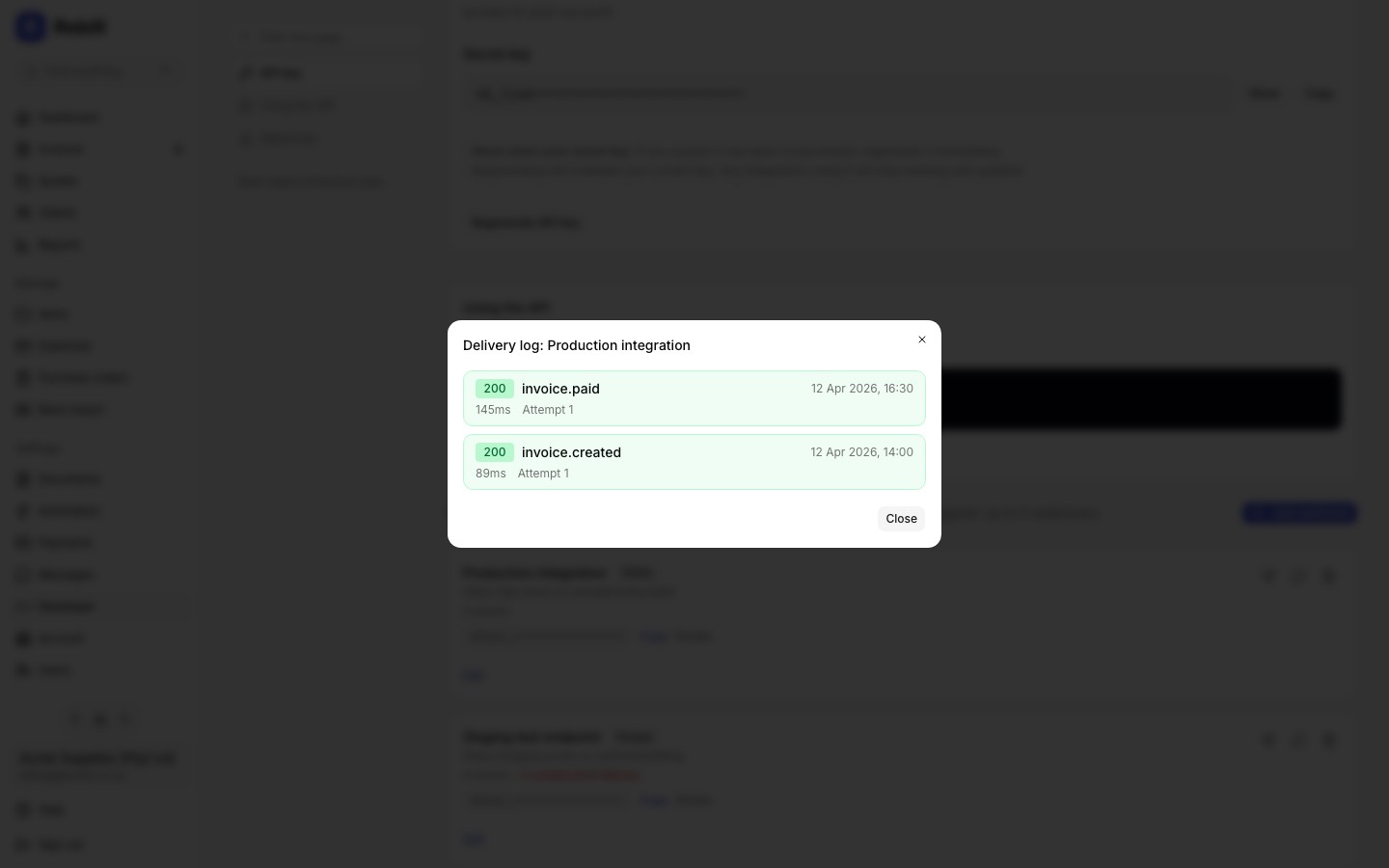
pingevent, useful for confirming your endpoint and signature handling work end to end. - Click the refresh icon to open the delivery log: the most recent attempts for that webhook, each showing its status code, event, duration, attempt number, and any error, colour-coded green for success and red for failure.
- Click the trash icon to delete the webhook. Its past delivery logs are left in place.
Automatic pausing on repeated failures
If your endpoint keeps returning a non-2xx response, Rebill retries the delivery and, after 20 consecutive failures, automatically pauses the webhook to avoid hammering a broken endpoint. A paused webhook shows a failure count on its card; edit and re-save it, or send a test ping, to resume delivery.Tip
For payload format, the signature header and how to verify it, retry behaviour, and a full REST API for managing webhooks programmatically, see the Webhooks API reference.