Webhooks let your application receive real-time HTTP POST notifications when events happen in Rebill (for example when an invoice is paid, a quote is accepted, or a client is created). You register a URL, choose which events to subscribe to, and Rebill delivers a signed JSON payload to that URL.
Setting up a webhook
- 1
Go to Settings > Developer > Webhooks
Click Developer under Settings in the sidebar, then choose Webhooks in the section rail.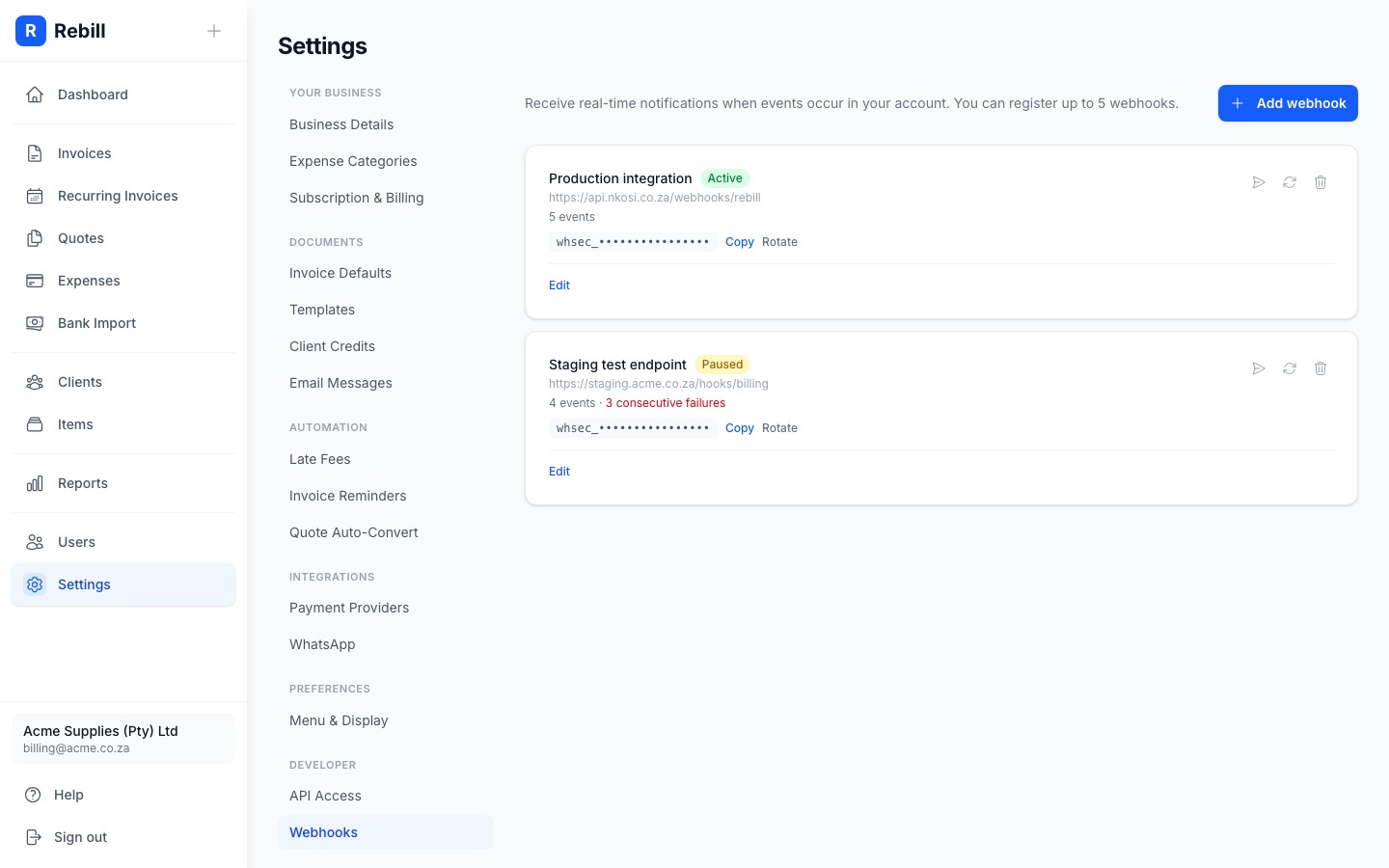
- 2
Add a webhook
Click "Add Webhook". Enter the URL that will receive events, an optional description, and select which events to subscribe to.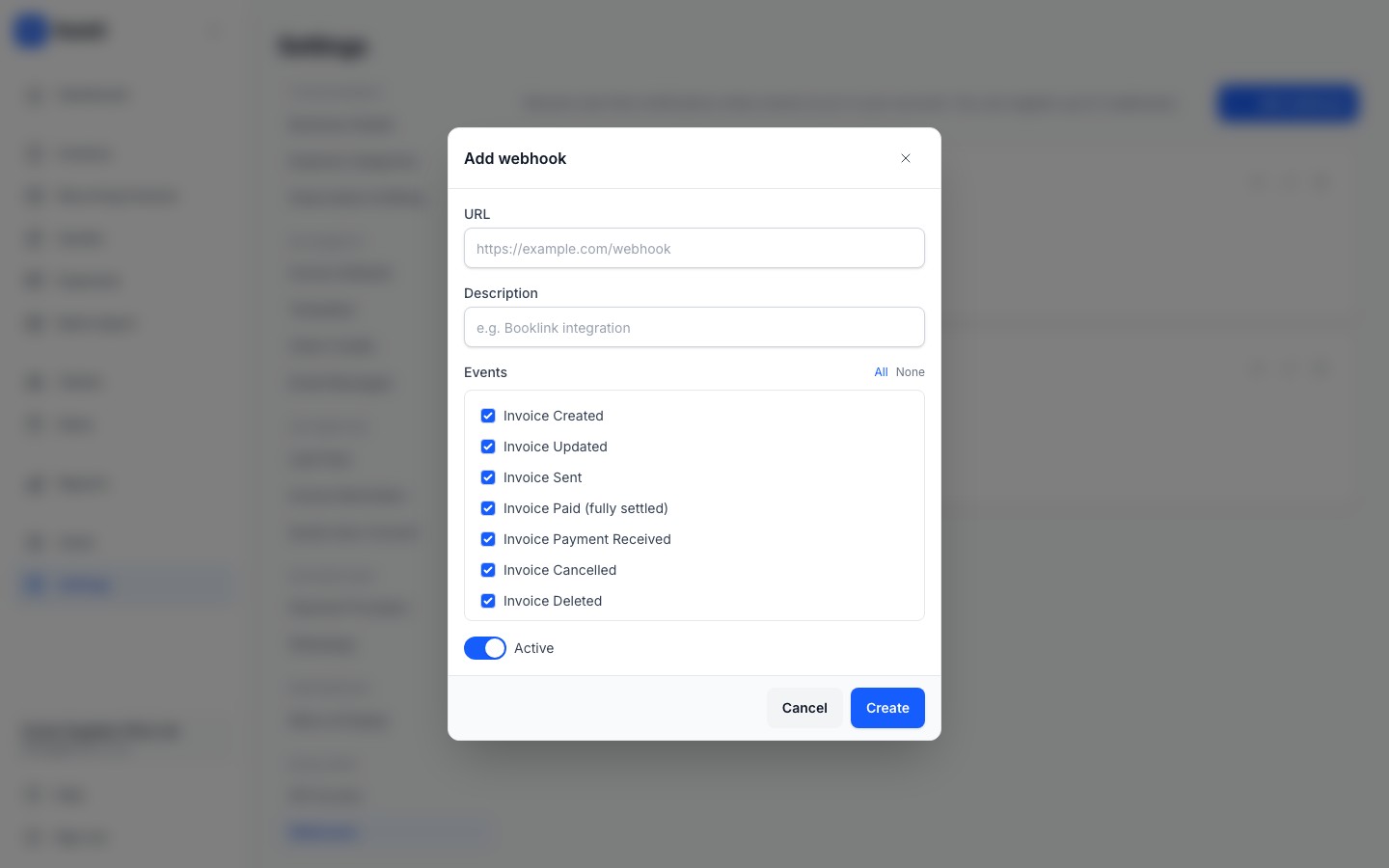
- 3
Copy the secret
After creating the webhook, copy the signing secret. You will need this to verify that incoming requests are genuine. The secret is only shown once, so store it securely.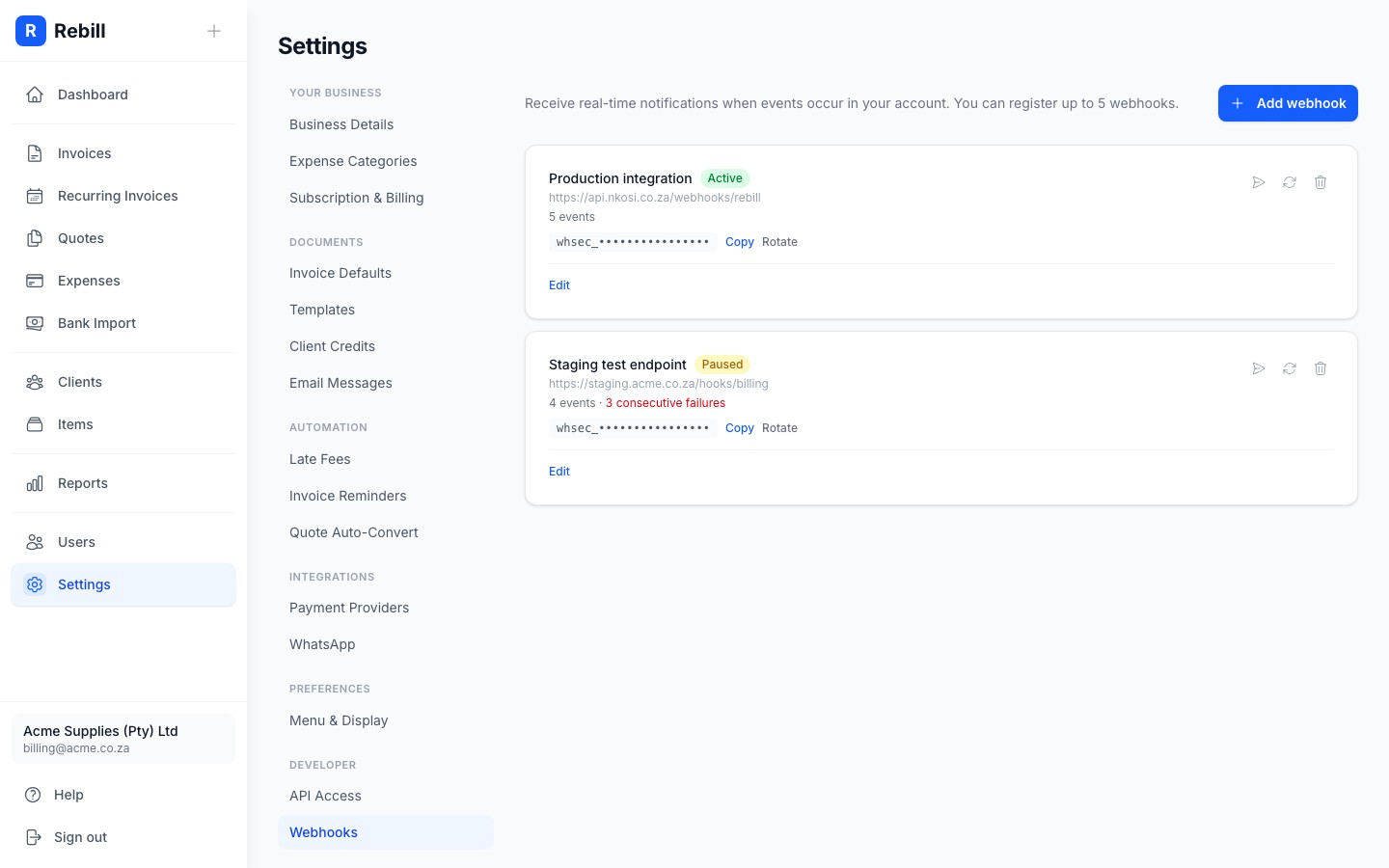
Available events
You can subscribe to any combination of these events:
| Event | Description |
|---|---|
invoice.created | A new invoice was created |
invoice.updated | An invoice was modified |
invoice.sent | An invoice was sent to the client |
invoice.paid | An invoice was fully paid |
invoice.payment_received | A payment was recorded (partial or full) |
invoice.cancelled | An invoice was cancelled |
invoice.deleted | An invoice was deleted |
quote.created | A new quote was created |
quote.updated | A quote was modified |
quote.sent | A quote was sent to the client |
quote.accepted | A client accepted a quote |
quote.declined | A client declined a quote |
quote.expired | A quote passed its expiry date |
quote.converted | A quote was converted to an invoice |
quote.deleted | A quote was deleted |
client.created | A new client was added |
client.updated | A client was modified |
client.deleted | A client was deleted |
payment.received | A payment was received via a payment gateway |
Payload format
Every delivery is an HTTP POST with a JSON body:
POST https://your-app.example.com/webhook
Content-Type: application/json
X-Rebill-Event: invoice.paid
X-Rebill-Signature: t=1700000000,v1=ad527032...
X-Rebill-Delivery: evt_01HYZ...
Payloads are intentionally thin: the body is a small envelope identifying what happened, not the full entity. Call back into the Rebill API with the resource_id (using your API key) to fetch the current state of the resource:
{
  "id": "evt_01HYZQK3F9G8X2P7R4T6W9Y1Z0",
  "event": "invoice.paid",
  "resource_id": "abc123",
  "account_id": "acc_xyz",
  "occurred_at": "2026-03-15T10:22:00Z",
  "parent_id": ""
}| Field | Type | Description |
|---|---|---|
| id | string | Unique ID for this delivery, prefixed evt_ |
| event | string | The event type, e.g. invoice.paid |
| resource_id | string | ID of the entity that changed. Fetch it with the matching API endpoint (e.g. GET /invoice/:id) |
| account_id | string | Your account ID |
| occurred_at | timestamp | When the event occurred |
| parent_id | string | Present on some events as a hint, e.g. the invoice ID on a payment.received event. Omitted when not applicable |
Verifying signatures
Every webhook delivery includes an X-Rebill-Signature header in the form t=, where ". Recompute it with your webhook secret and compare using a timing-safe comparison:
import crypto from "crypto";

function verify(body: string, secret: string, header: string): boolean {
  const match = header.match(/^t=(\d+),v1=([0-9a-f]+)$/);
  if (!match) return false;
  const [, timestamp, signature] = match;

  const expected = crypto
    .createHmac("sha256", secret)
    .update(`${timestamp}.${body}`)
    .digest("hex");

  return crypto.timingSafeEqual(
    Buffer.from(expected, "hex"),
    Buffer.from(signature, "hex")
  );
}
Equivalent in Go:
func Verify(header string, body []byte, secret string) bool {
	parts := strings.SplitN(header, ",", 2)
	if len(parts) != 2 {
		return false
	}
	timestamp := strings.TrimPrefix(parts[0], "t=")
	signature := strings.TrimPrefix(parts[1], "v1=")

	mac := hmac.New(sha256.New, []byte(secret))
	mac.Write([]byte(timestamp))
	mac.Write([]byte{'.'})
	mac.Write(body)
	expected := hex.EncodeToString(mac.Sum(nil))

	got, err := hex.DecodeString(signature)
	if err != nil {
		return false
	}
	want, _ := hex.DecodeString(expected)

	return hmac.Equal(got, want)
}
Always use a timing-safe comparison to prevent timing attacks. Reject signatures whose timestamp is too far from the current time to guard against replay.
Managing webhooks via the API
Everything configurable from Settings > Developer > Webhooks is also available as an API. Only creating a new webhook is premium-gated (see the note at the end of this article); listing, reading, updating, deleting, rotating a secret, sending a test, and viewing deliveries all work on any plan, so a downgraded account can still manage and monitor webhooks it already has.
List webhooks
GET /webhook
Returns every webhook registered on your account. The signing secret is not included; only create and rotate return it.
curl https://api.rebill.co.za/webhook \
  -H "Authorization: Bearer sk_your_secret_key"
Response:
{
  "webhooks": [
    {
      "id": "wh_001",
      "created": "2026-03-01T00:00:00Z",
      "url": "https://your-app.example.com/webhook",
      "description": "Production",
      "events": ["invoice.paid", "invoice.payment_received"],
      "active": true,
      "paused": false,
      "consecutive_failures": 0
    }
  ]
}
Create a webhook
POST /webhook
| Field | Required | Type | Description |
|---|---|---|---|
| url | Yes | string | A valid URL to receive deliveries |
| events | Yes | array | One to 50 event names from the table above |
| description | No | string | Free-text label |
| active | No | boolean | Whether the webhook is enabled (default: true) |
curl -X POST https://api.rebill.co.za/webhook \
  -H "Authorization: Bearer sk_your_secret_key" \
  -H "Content-Type: application/json" \
  -d '{
    "url": "https://your-app.example.com/webhook",
    "description": "Production",
    "events": ["invoice.paid", "invoice.payment_received"]
  }'
Response (201 Created):
{
  "id": "wh_001",
  "url": "https://your-app.example.com/webhook",
  "description": "Production",
  "events": ["invoice.paid", "invoice.payment_received"],
  "active": true,
  "paused": false,
  "consecutive_failures": 0,
  "secret": "whsec_..."
}
The secret field is only ever returned here and from rotate; store it immediately. Free plan accounts receive 402 Payment Required. Each account may register up to 5 webhooks; exceeding that returns 400 Bad Request.
Get a webhook
GET /webhook/:id
Returns a single webhook, including its current secret (unlike the list endpoint).
Update a webhook
PUT /webhook/:id
Replaces a webhook's URL, description, events, and active flag. Accepts the same fields as create. Does not rotate the secret.
curl -X PUT https://api.rebill.co.za/webhook/wh_001 \
  -H "Authorization: Bearer sk_your_secret_key" \
  -H "Content-Type: application/json" \
  -d '{
    "url": "https://your-app.example.com/webhook",
    "events": ["invoice.paid"],
    "active": false
  }'
Delete a webhook
DELETE /webhook/:id
Removes the webhook. Its past delivery logs are left in place and age out on their own.
curl -X DELETE https://api.rebill.co.za/webhook/wh_001 \
  -H "Authorization: Bearer sk_your_secret_key"
Rotate the signing secret
POST /webhook/:id/rotate_secret
Generates a fresh secret and returns it once in plaintext. In-flight deliveries already signed with the old secret still verify until delivered, but store the new secret immediately: it is not retrievable again after this response.
curl -X POST https://api.rebill.co.za/webhook/wh_001/rotate_secret \
  -H "Authorization: Bearer sk_your_secret_key"
Response: the webhook object with a new secret field.
Send a test event
POST /webhook/:id/test
Enqueues a synthetic ping event to the webhook, useful for verifying your endpoint and signature handling end-to-end.
curl -X POST https://api.rebill.co.za/webhook/wh_001/test \
  -H "Authorization: Bearer sk_your_secret_key"
Response:
{
  "delivery_id": "evt_01HYZQK3F9G8X2P7R4T6W9Y1Z0"
}
List delivery attempts
GET /webhook/:id/deliveries
Returns the most recent delivery attempts for the webhook (up to 50, newest first), useful for debugging failed deliveries without leaving your own systems.
curl https://api.rebill.co.za/webhook/wh_001/deliveries \
  -H "Authorization: Bearer sk_your_secret_key"
Response:
{
  "deliveries": [
    {
      "id": "dlv_001",
      "created": "2026-03-15T10:22:01Z",
      "webhook_id": "wh_001",
      "event": "invoice.paid",
      "resource_id": "abc123",
      "status_code": 200,
      "success": true,
      "attempt": 1,
      "duration_ms": 184
    }
  ]
}
Retries and auto-disable
If your endpoint returns a non-2xx status code, Rebill retries the delivery. After 20 consecutive failures, the webhook is automatically paused to prevent further load on your server.
Paused webhooks show a warning in Settings > Developer > Webhooks. Click "Resume" to re-enable delivery. A ping event is sent immediately to verify your endpoint is back online.
Testing webhooks
Click "Test" next to any webhook in Settings to send a ping event. Use a tool like webhook.site or ngrok during development to inspect payloads.Note
Each account can register up to 5 webhooks. Webhooks are a premium feature: free-plan accounts receive402 Payment Required when creating a webhook, whether via the API or in Settings. Managing an existing webhook (list, read, update, delete, rotate secret, test, deliveries) is not plan-gated.