You can cancel your Rebill Premium subscription at any time from Settings. Cancelling stops the next charge but keeps your account active until the end of your current billing period. Your data, invoices, and clients are kept. Your account simply reverts to the free plan after the period ends.
How to cancel
- 1
Go to Settings > Account > Plan and billing
Click Account under Settings in the sidebar, then click Plan and billing in the section rail.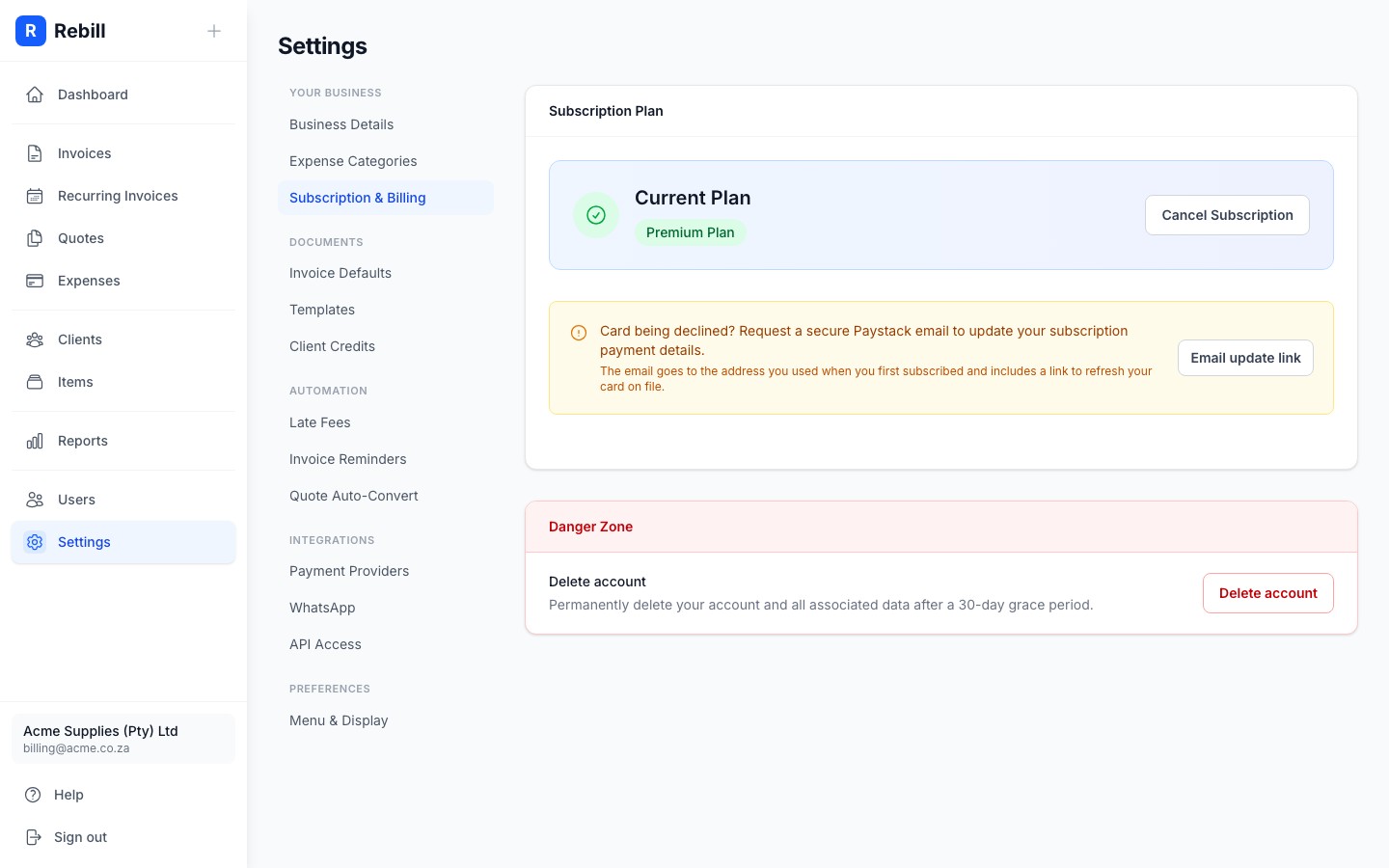
- 2
Click "Cancel subscription"
Find the cancel action in the subscription card. A confirmation dialog opens explaining what happens after cancellation.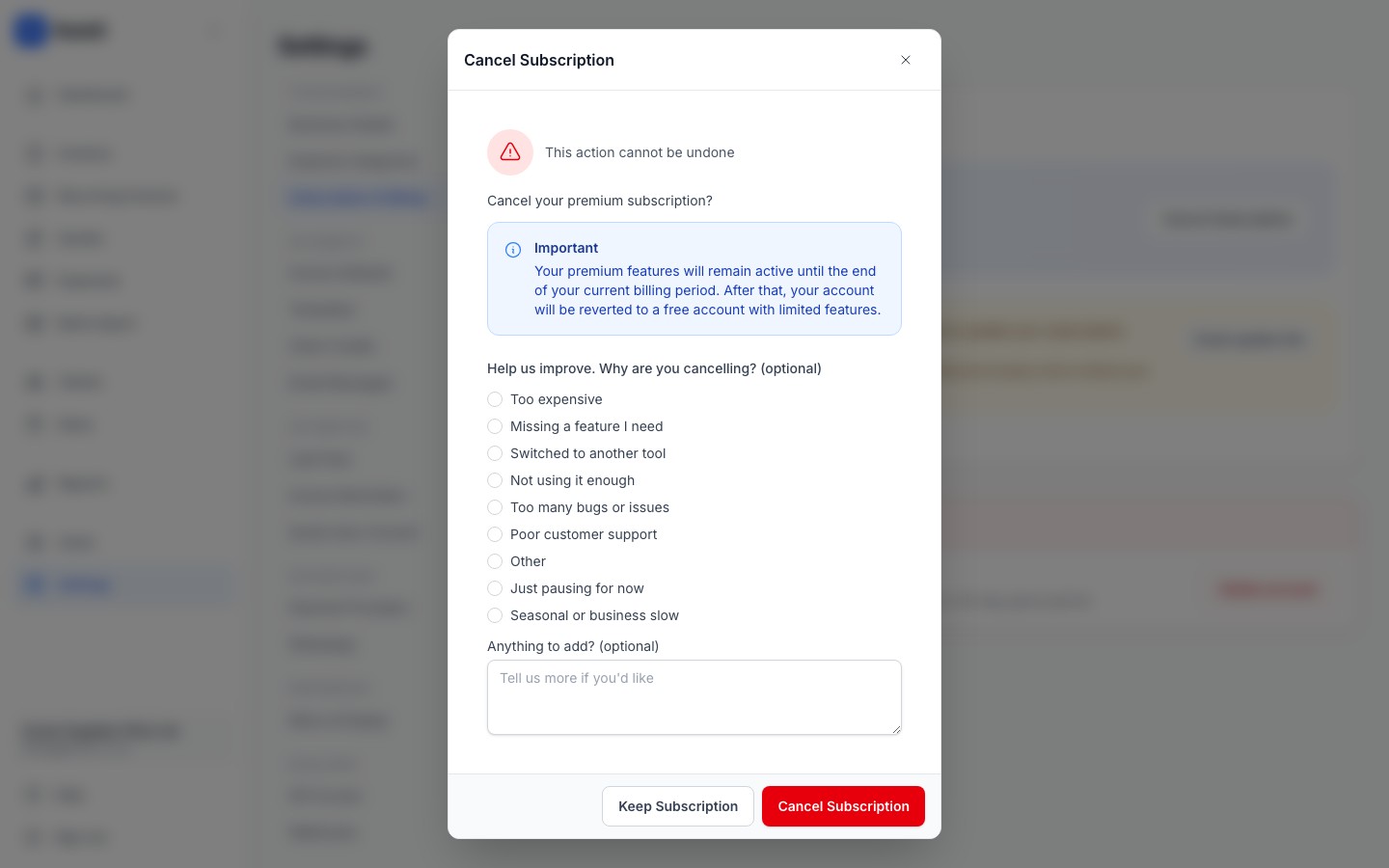
- 3
Optional: tell us why
The dialog includes an optional feedback prompt. Choose a reason and add a comment if you would like to. All feedback fields are optional and have no effect on whether the cancellation proceeds. Click "Confirm cancellation" when you are ready.
What happens after you cancel
Your premium access continues until the end of your current billing period. You will not be charged again. After the period ends:
- Your account reverts to the free plan automatically.
- All your data, invoices, quotes, clients, and settings are preserved.
- Premium features (recurring invoices, WhatsApp delivery, multiple team members, unlimited invoices) stop working.
- You can re-subscribe at any time and pick up exactly where you left off.
Cancelling vs deleting
Cancelling your subscription keeps your account and data on the free plan. Deleting your account permanently removes everything. If you only want to stop paying, cancel the subscription. Do not delete the account.Only need to change your card?
If your card expired or you want to bill a different card, you do not need to cancel. Click Change card in Settings > Account > Plan and billing. The secure Paystack card management page opens in a new tab where you enter the new card details.Changed your mind?
You can re-subscribe before the billing period ends to avoid any disruption to premium features. Go back to Settings > Account > Plan and billing and re-activate.