WhatsApp invoice delivery in South Africa works by sending your client a WhatsApp message with the invoice PDF attached and a tap-to-pay link included. Each delivery costs one WhatsApp credit. Credits are available to Premium plan users (R99/month) and can be purchased in bundles of 50, 100, 250, 500, or 1,000. New accounts receive a small allocation of free credits to get started.
What does the client receive via WhatsApp?
When you send an invoice via WhatsApp, your client receives: a WhatsApp message from Rebill, the invoice PDF as an attachment they can save or print, and a payment link they can tap to pay by card (Paystack, Yoco, or PayFast) or EFT. No login is required on the client side.Checking your balance
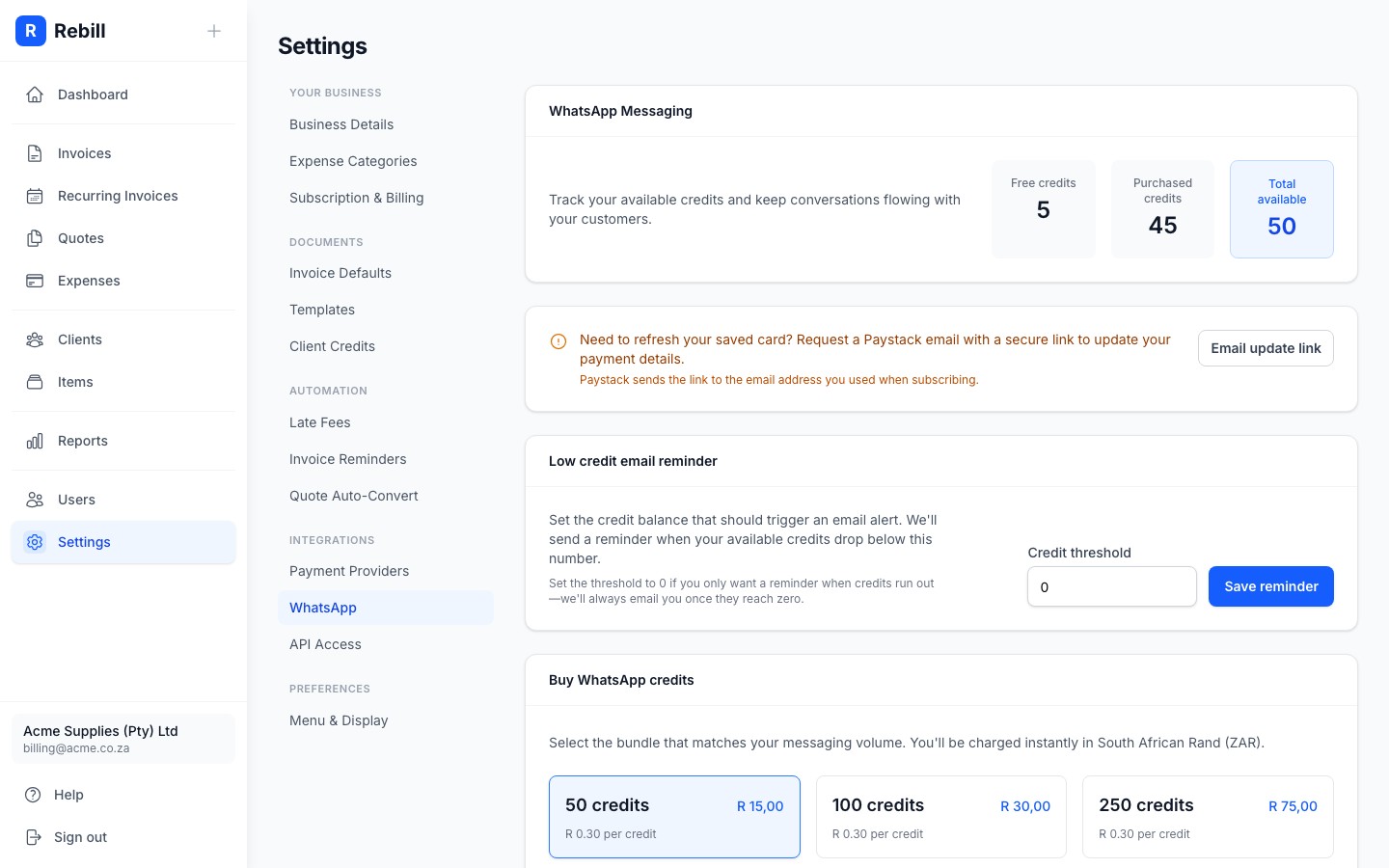
Go to Settings and click WhatsApp under the Integrations group. Your current credit balance is shown at the top, split into Free Credits (given when you first sign up) and Paid Credits (credits you've purchased). Your transaction history is also visible at the bottom of the page.
Buying credits
- 1
Go to Settings, then WhatsApp
Click Settings in the sidebar. In the settings navigation, click WhatsApp under the Integrations group. - 2
Choose a bundle
Select a credit bundle from the options. Available sizes are 50, 100, 250, 500, and 1,000 credits. The price for each bundle is shown.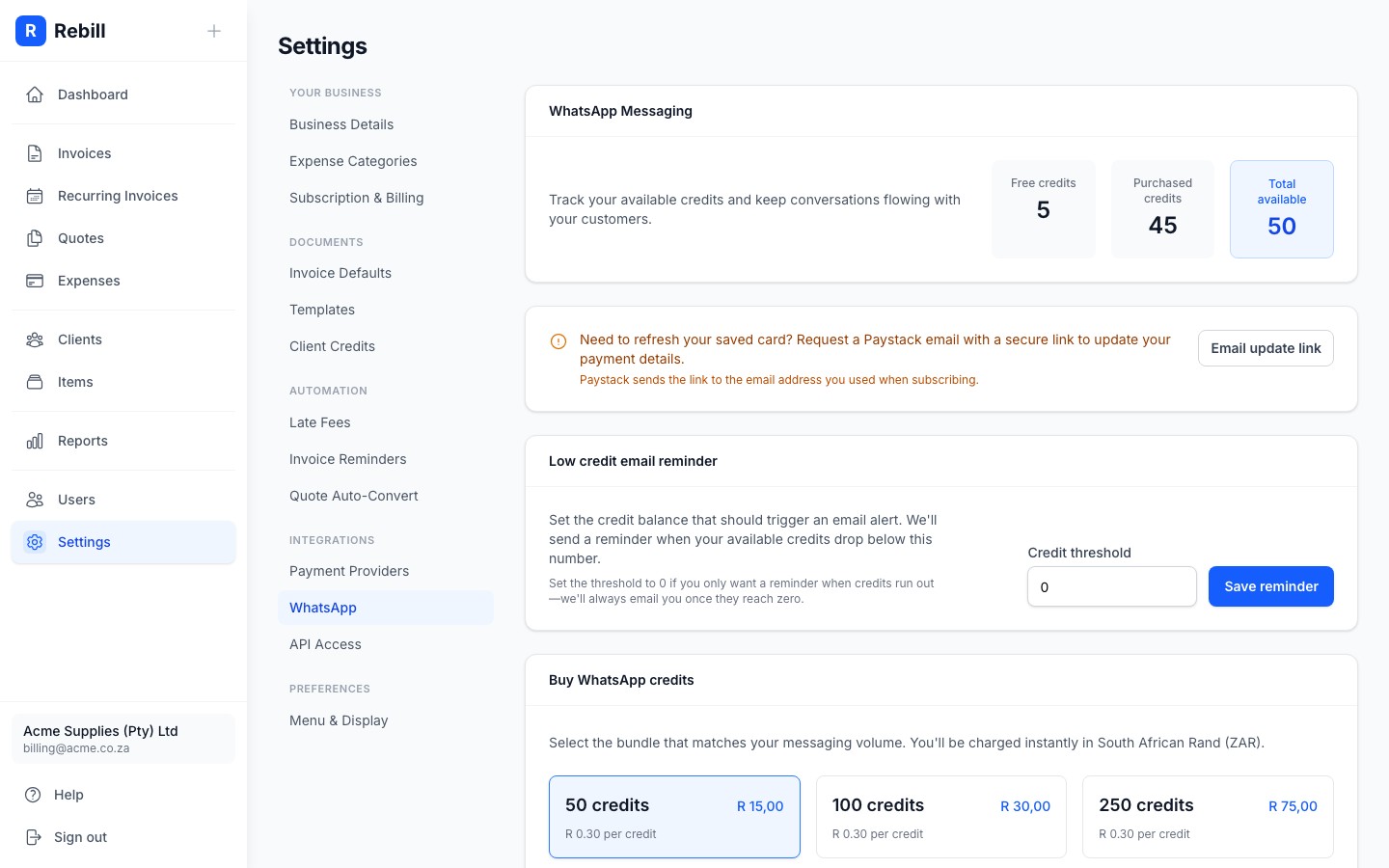
- 3
Click "Buy credits"
A confirmation dialog will appear showing the charge amount. Your saved subscription card will be charged immediately. Credits appear in your account after successful payment.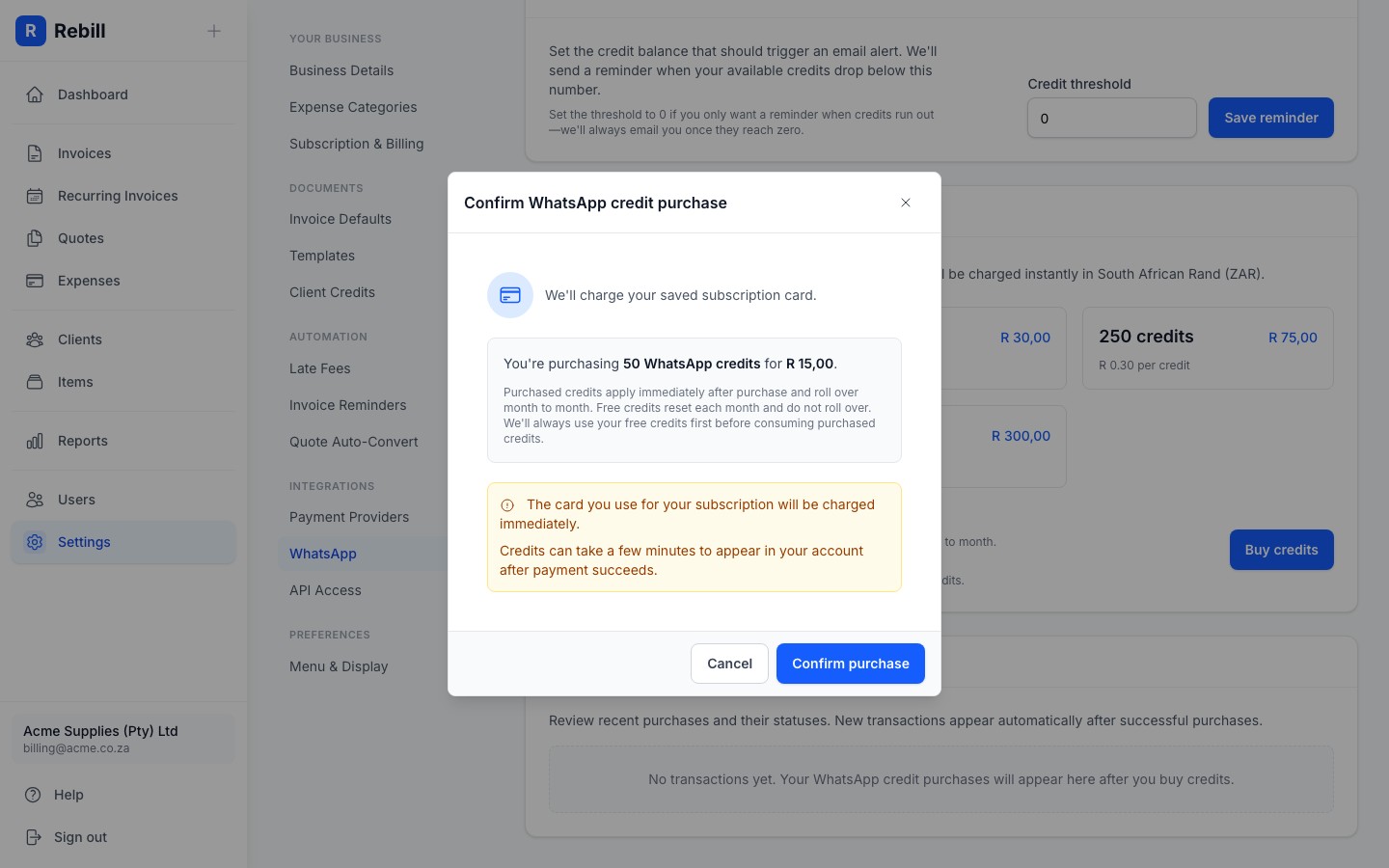
Do WhatsApp credits expire?
Purchased WhatsApp credits never expire and roll over month to month. Free credits reset each month and do not roll over. Rebill always uses your free credits first before consuming purchased credits.Low balance reminder
You can set a threshold in the WhatsApp settings so Rebill emails you when your credit balance drops below a certain number. Set it to 0 to only receive a notification when credits reach zero. This way you won't run out unexpectedly.