You can delete your Rebill account at any time from Settings. Your account is scheduled for deletion and all data is permanently removed after 30 days. If you change your mind, you can contact support within that window to cancel the deletion.
- 1
Go to Settings
Click Settings in the left sidebar. In the settings navigation, click Subscription & Billing under Your Business. Scroll to the bottom to find the Danger Zone card.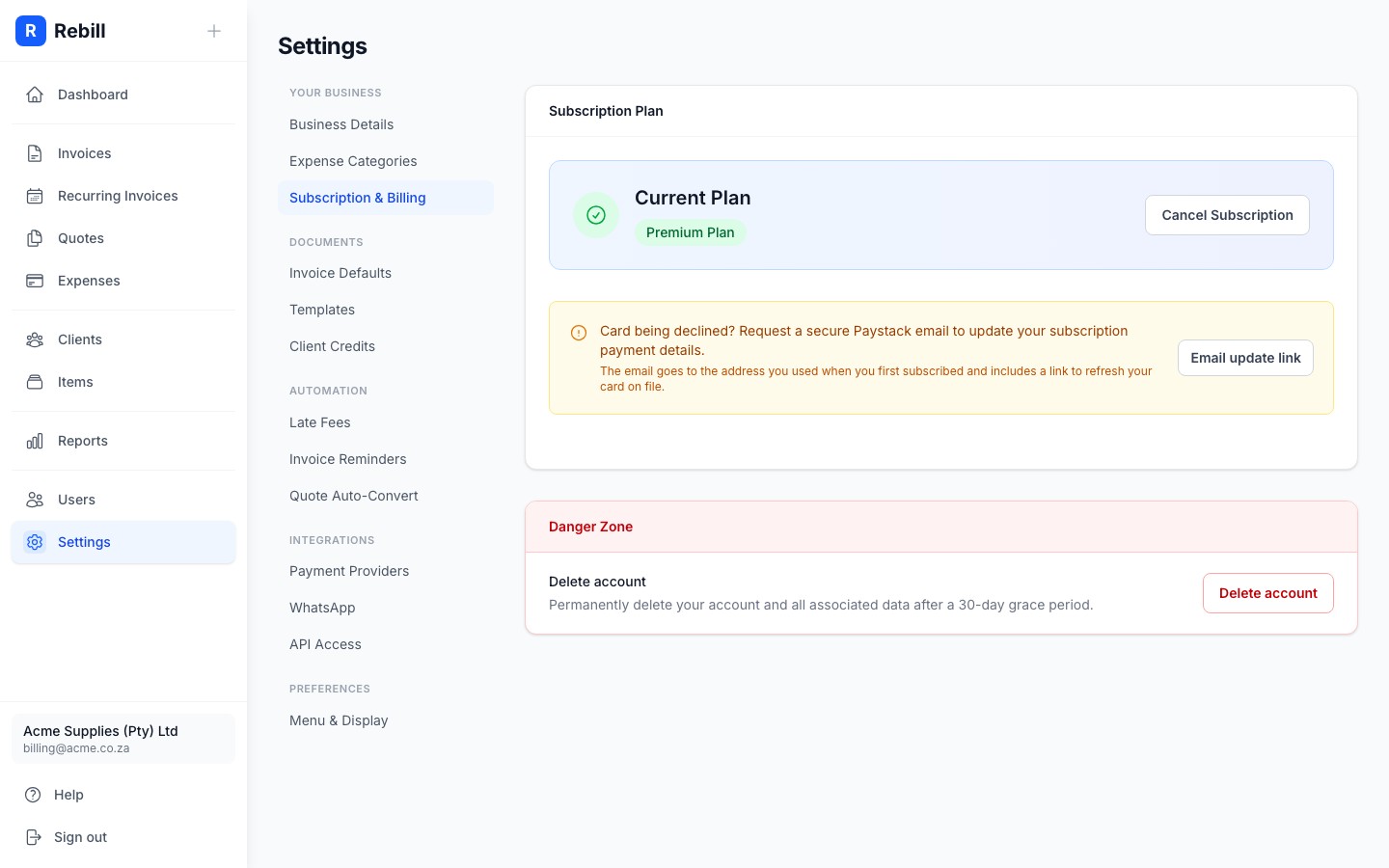
- 2
Click "Delete account"
Click the "Delete account" button. A confirmation dialog will open explaining what will be deleted.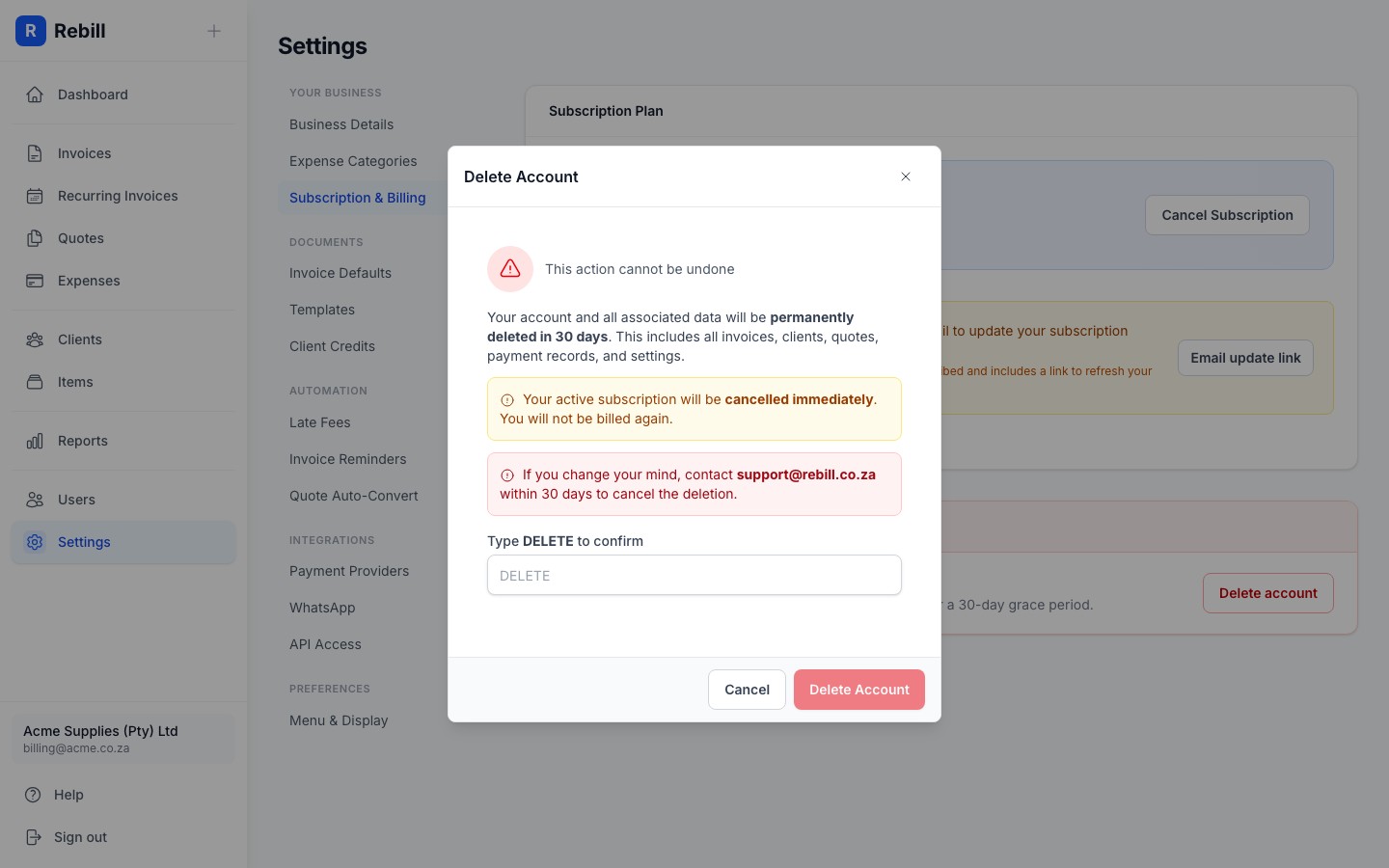
- 3
Type DELETE to confirm
Type DELETE (all caps) in the confirmation field to enable the delete button. This step prevents accidental deletions.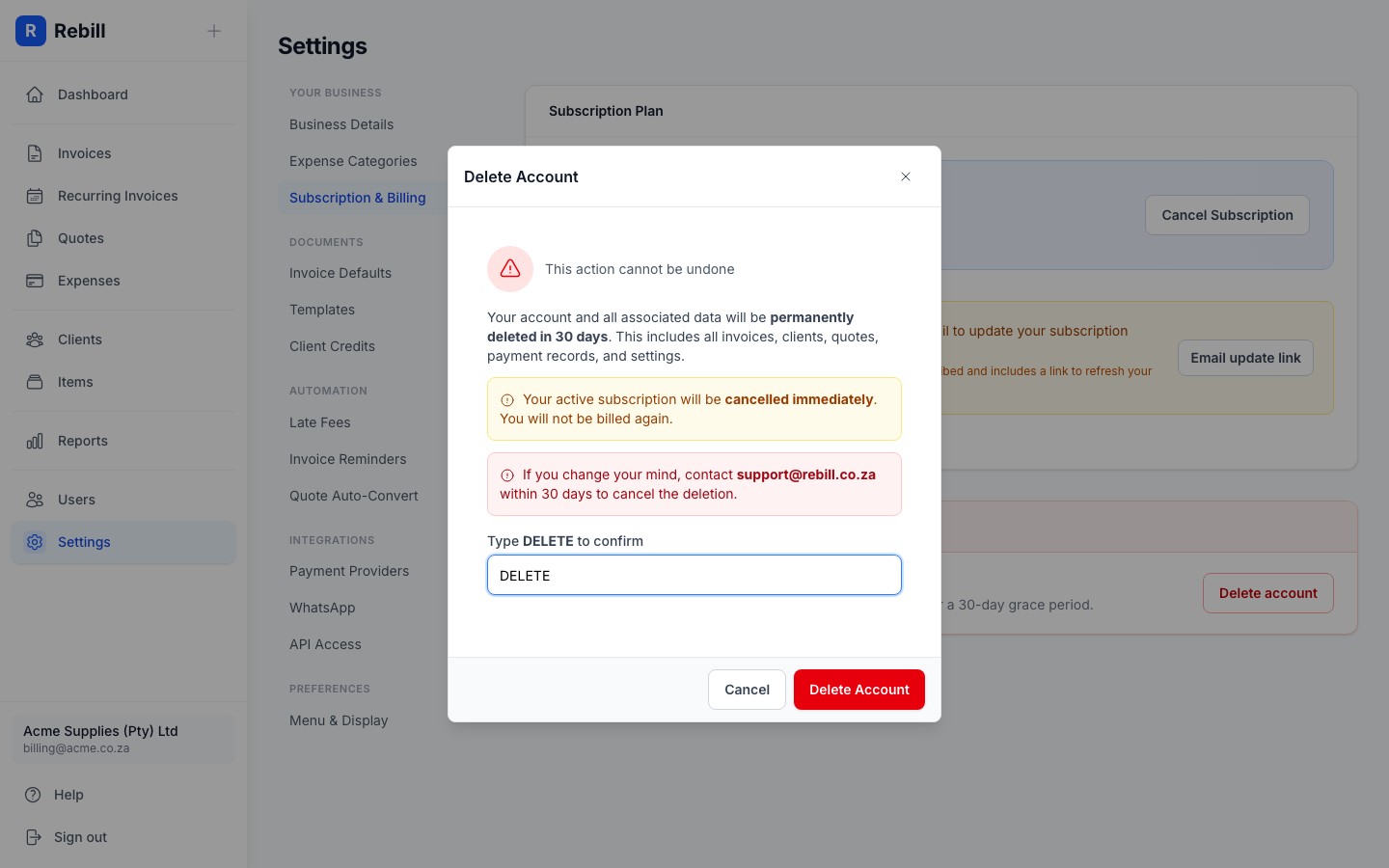
- 4
Confirm the deletion
Click "Delete Account". You will be logged out immediately. Your account and all data will be permanently deleted after 30 days.
What gets deleted
After the 30-day retention window, Rebill permanently deletes:- All invoices, quotes, and recurring invoices
- All clients and their history
- All expenses and expense categories
- All payment records and transactions
- Your business settings, logo, and API key
- All team members associated with the account
Active subscription
If your account is on the Premium plan, your Paystack subscription is cancelled immediately when you request deletion. You will not be charged again. Access to Premium features ends at that point.Changed your mind?
Email [email protected] within 30 days of requesting deletion and we can cancel it and restore your account.