
Each quote can be assigned to a specific team member as its owner. This makes it clear who is responsible for following up and winning the work.
- 1
Assign an owner
When creating or editing a quote, find the Owner field near the top of the form. It only appears once you have invited at least one team member. Select the person responsible for this quote from the dropdown, or leave it as "Me". Save the quote to confirm.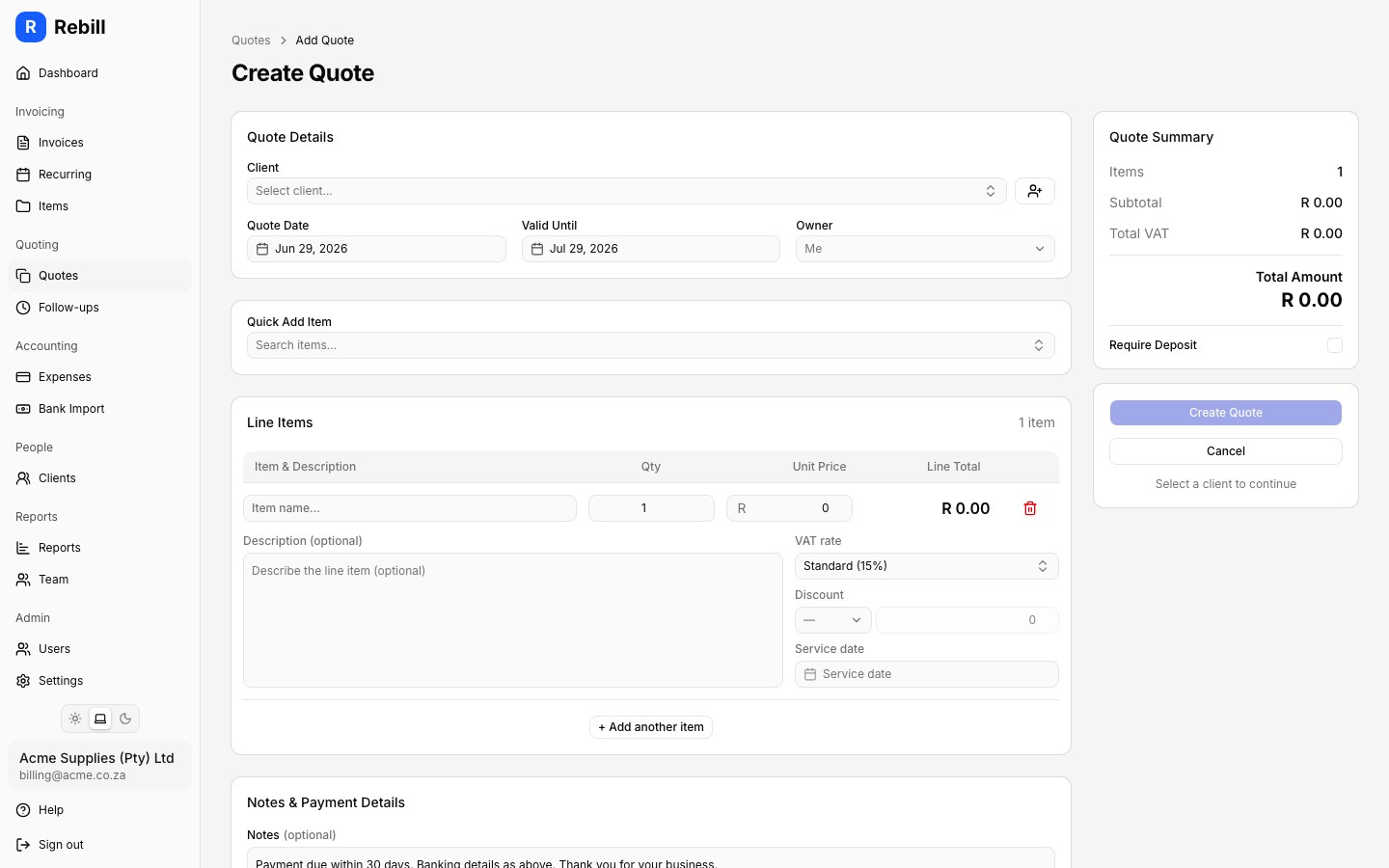
Why ownership matters
Assigning an owner creates clear accountability within your team. Everyone can see who is handling a particular quote, which reduces the chance of follow-ups falling through the cracks when multiple people are working on quotes at the same time.
Owners and team reporting
Quote ownership feeds into your team performance report. The report breaks down quoting activity per owner so you can see each person's won, lost and pending quotes, their values, and their win rate.
Tip
The owner also appears as its own column on the Follow-ups tab, where you can filter to show only your own quotes, a specific team member's, or all of them.Note
An owner must be a user on your Rebill account. If the team member you need does not appear in the list, ask an admin to invite them first.