
The Team Performance Report breaks down quoting and invoicing activity by the team member assigned as owner. It is visible to admins only and is most useful once your team has been assigning ownership to quotes and invoices.
Admin only
Only users with the Admin role can view this report. Team members with the standard user role will see an "Not authorized" message if they navigate to it.Opening the report
- 1
Go to Reports, then the Team tab
Click Reports in the sidebar and choose the Team tab.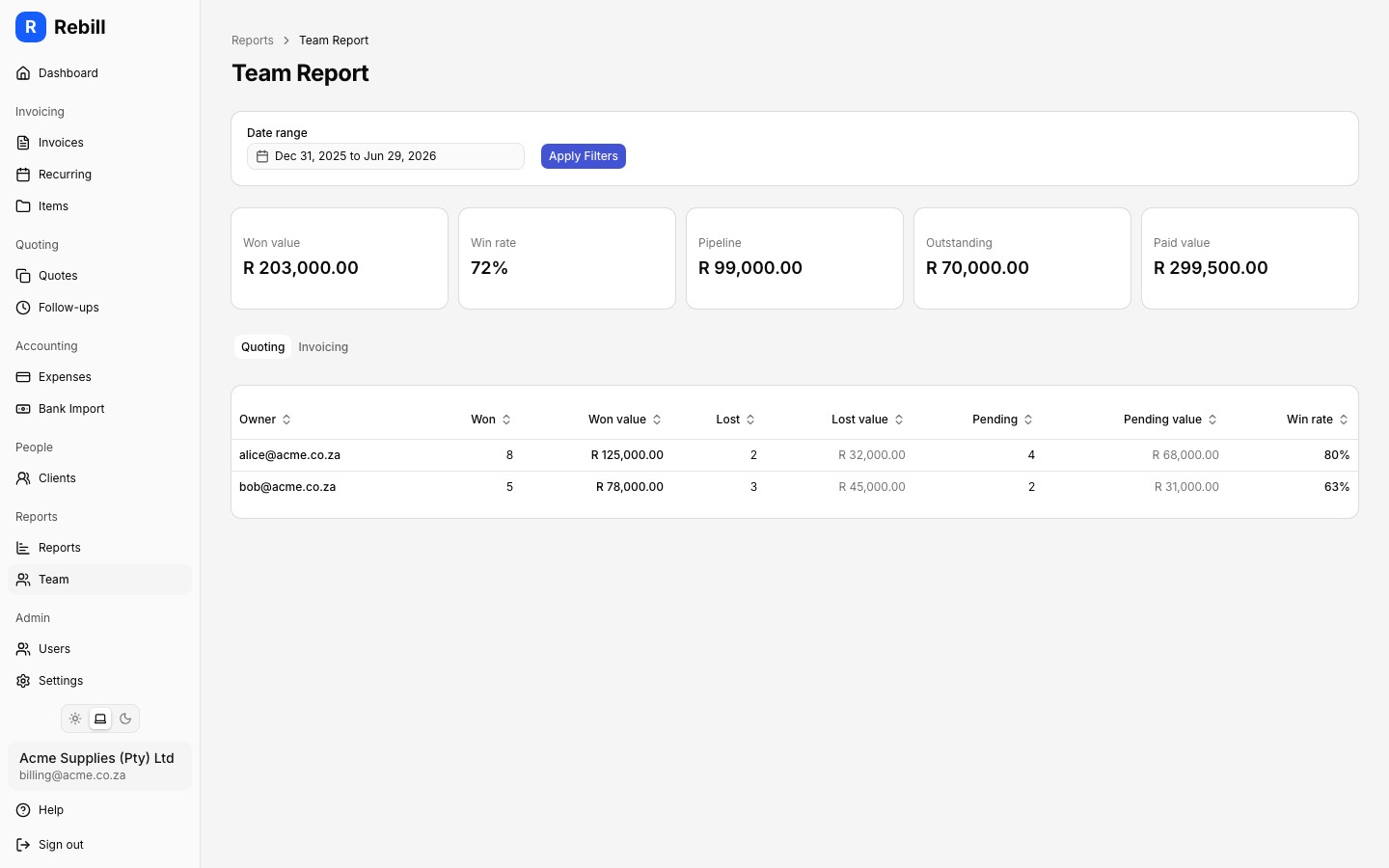
- 2
Set a date range
Use the Date range picker at the top to choose the period you want to analyse, then click "Apply". The report defaults to the current calendar year. Use the "Quick ranges" dropdown next to it to jump to This month, Last month, Year to date, This fiscal year, Last fiscal year, Last 6 months, Last 12 months, Next month, or Next 3 months instead of picking dates by hand.
Summary cards
Five cards across the top show team-wide totals for the selected period:
- Won value: total value of quotes that were accepted
- Win rate: percentage of decided quotes (won or lost) that were won
- Pipeline: total value of quotes still pending a decision
- Outstanding: total value of unpaid invoices owned by the team
- Paid value: total value of paid invoices owned by the team
Per-owner breakdown
The report has two tabs, each showing a row per owner:
- Quoting tab: Owner, Won (count), Won value, Lost (count), Lost value, Pending (count), Pending value, Win rate
- Invoicing tab: Owner, Outstanding (count), Outstanding amount, Paid (count), Paid value
Each column is sortable. Quotes and invoices with no assigned owner appear in an Unassigned row.
Getting the most from this report
The report is only useful once your team is consistently assigning ownership to quotes and invoices. See Assigning quote owners for how to set ownership on quotes. Ownership can also be set when creating or editing invoices.