
The Tax set-aside report estimates how much income tax to put away every month, based on your profit so far this tax year projected forward, so there are no surprises when your tax bill falls due.
Premium, South Africa only
Tax set-aside is a Premium feature and only appears on the Reports tab strip for South African accounts billing in ZAR. It also depends on your Tax entity type being set in Settings > Account > Business details, a field that only appears for South African businesses.Setting it up
- 1
Set your tax entity type
Go to Settings > Account > Business details and choose Tax entity type: Individual / sole proprietor, Company, or Company (Small Business Corporation rates). This determines which tax table the report uses to estimate your liability. - 2
Go to Reports, then the Tax set-aside tab
Click Reports in the sidebar and choose the Tax set-aside tab.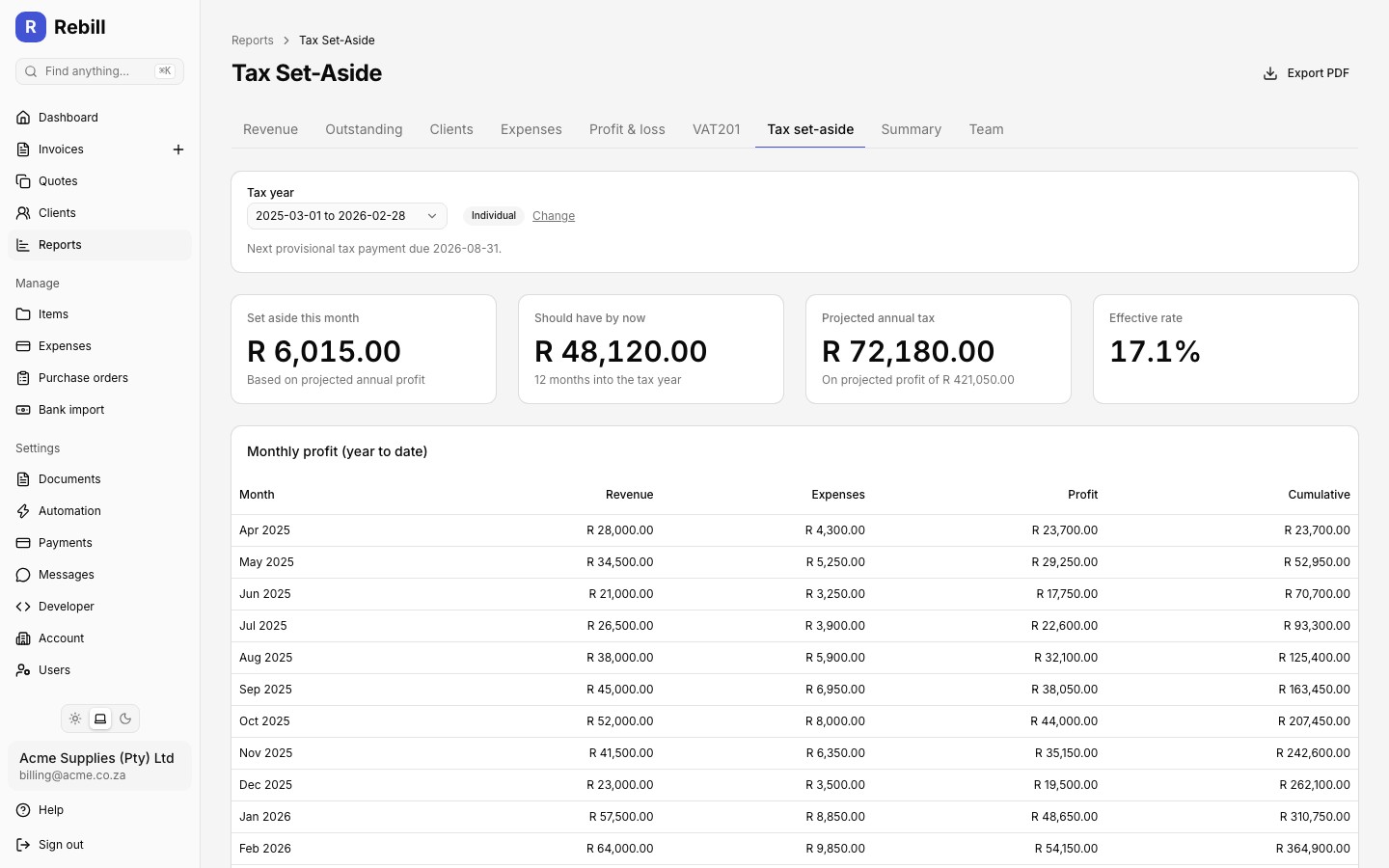
Reading the report
Four cards summarise your position for the selected tax year:
- Set aside this month: how much to save this month, based on your projected annual profit
- Should have by now: the cumulative amount you should have saved, given how many months into the tax year you are
- Projected annual tax: your estimated tax bill for the full year, on your projected annual profit
- Effective rate: projected tax as a percentage of projected profit
Below the cards, a monthly profit table lists revenue, expenses, profit, and cumulative profit for each month of the tax year to date. Use the Tax year selector at the top to switch between the current year and the prior one, and check the next provisional tax payment due date shown underneath it.
This is an estimate, not tax advice
Figures use your issued invoices and recorded expenses on an accrual basis. They exclude income earned outside Rebill, personal deductions such as retirement contributions and medical credits, wear-and-tear allowances, and assessed losses. The projection assumes your profit continues at the year-to-date pace. Confirm your provisional tax with your accountant.Exporting a PDF
Click "Export PDF" at the top right to download a printable summary of the report, including the monthly breakdown, for your records or to share with your accountant.