
Purchase Orders

Purchase order notification history

See every email sent for a purchase order, and its delivery status, from the purchase order page.

Last updated

Every purchase order has a Notification history panel below the document, listing every email sent for it: when it was sent and who received it.

Where delivery tracking is available, the panel also shows the delivery status of each email: Delivered, Bounced, Marked as spam, or Rejected. If delivery tracking is not available for a particular send, the panel shows "Delivery status unavailable" instead.
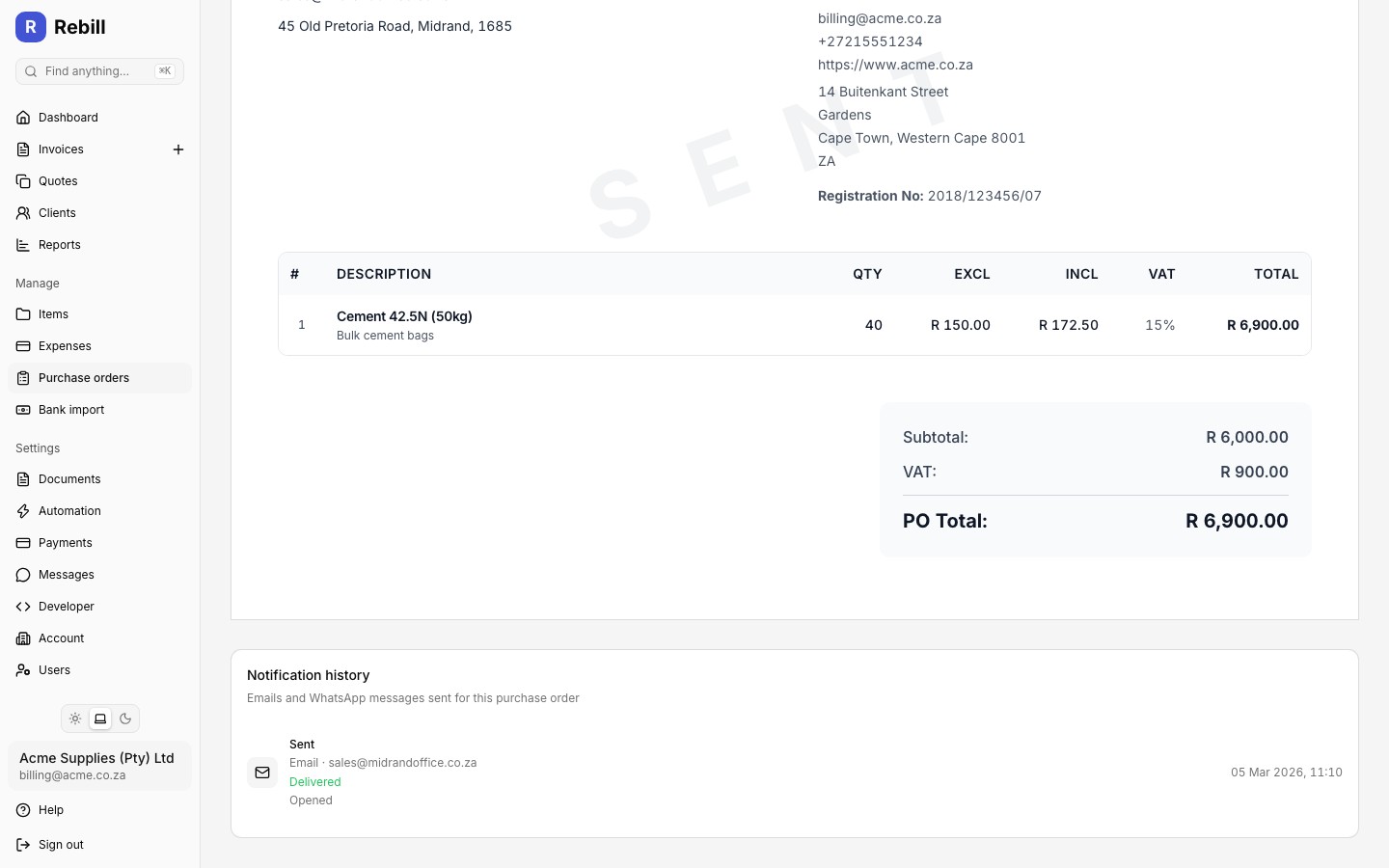
Notification history panel on a purchase order showing sent emails with delivery status
Notification history on a purchase order

Was this article helpful?

Still need help?

Our support team is happy to help you get the most out of Rebill.

Contact support