To charge late fees on overdue invoices in South Africa, enable automatic late fees in Rebill. When an invoice passes its due date (plus any grace period you set), Rebill adds a fee line item automatically and emails the client. Fees can be a percentage of the outstanding balance (e.g. 2%) or a fixed rand amount per invoice. This is a Premium plan feature.
- 1
Go to Settings → Invoices
Click Settings in the sidebar, then click the Invoices tab.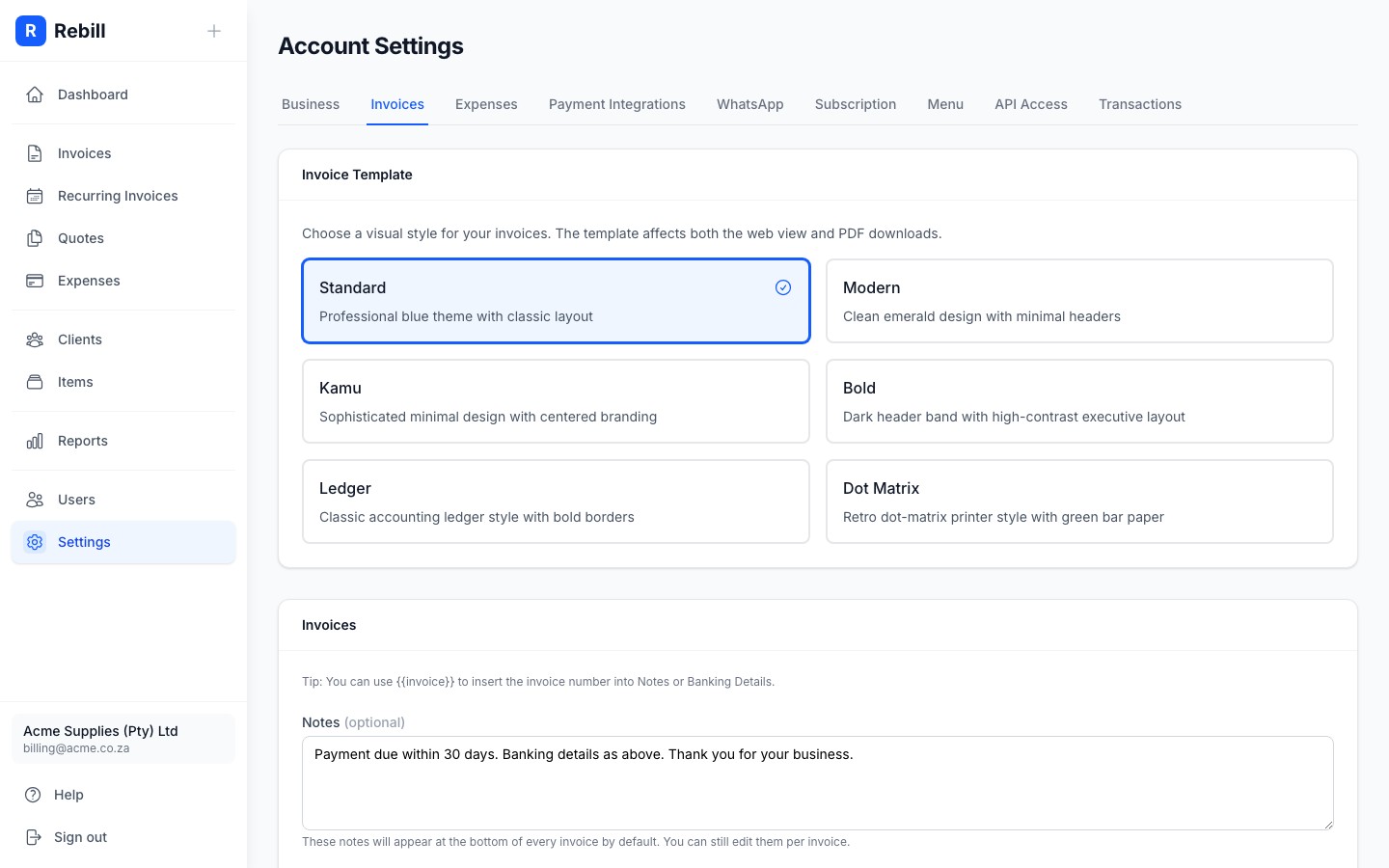
- 2
Find the Automatic Late Fees section
Scroll down to the Automatic Late Fees card and toggle the switch to enable it.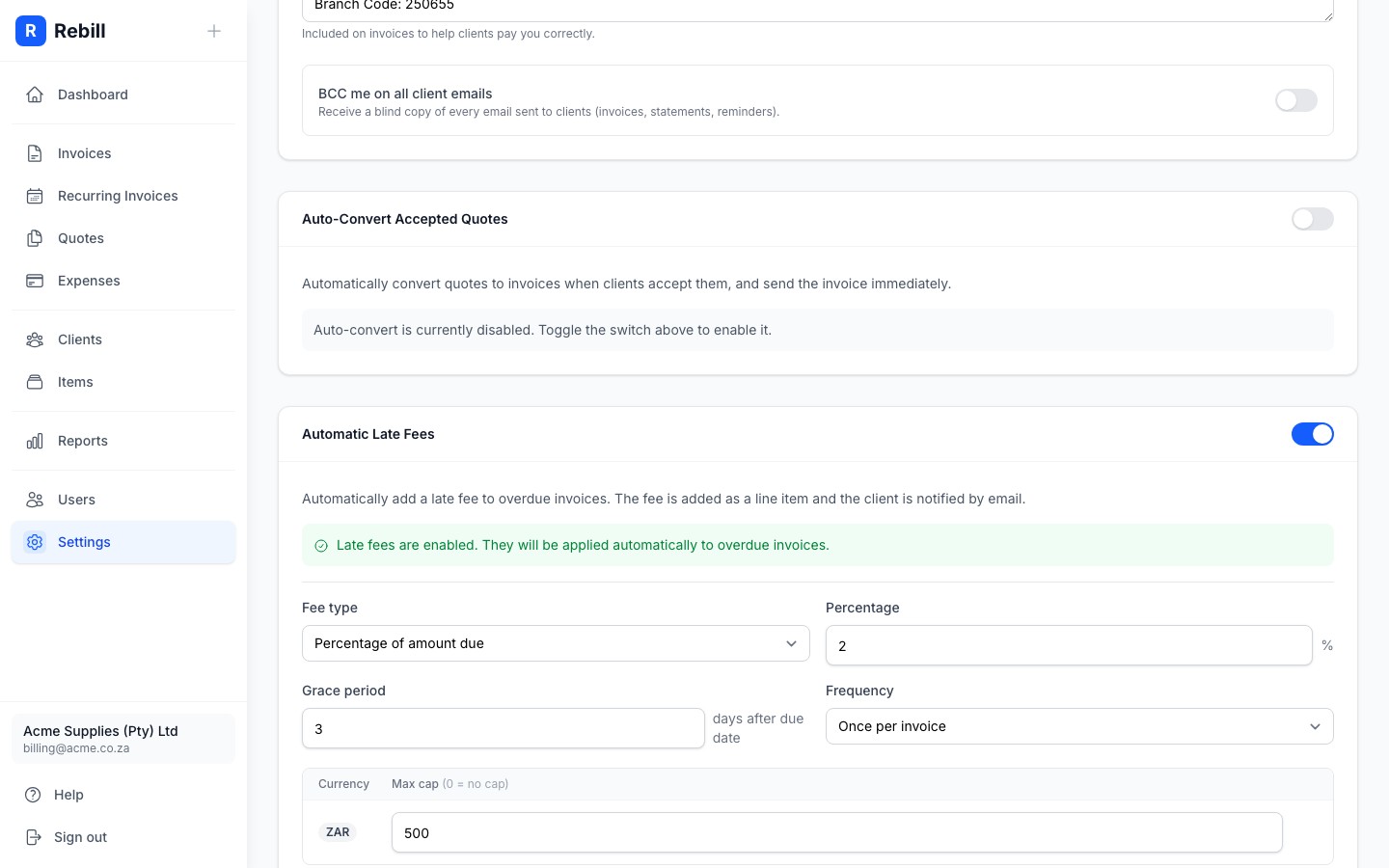
- 3
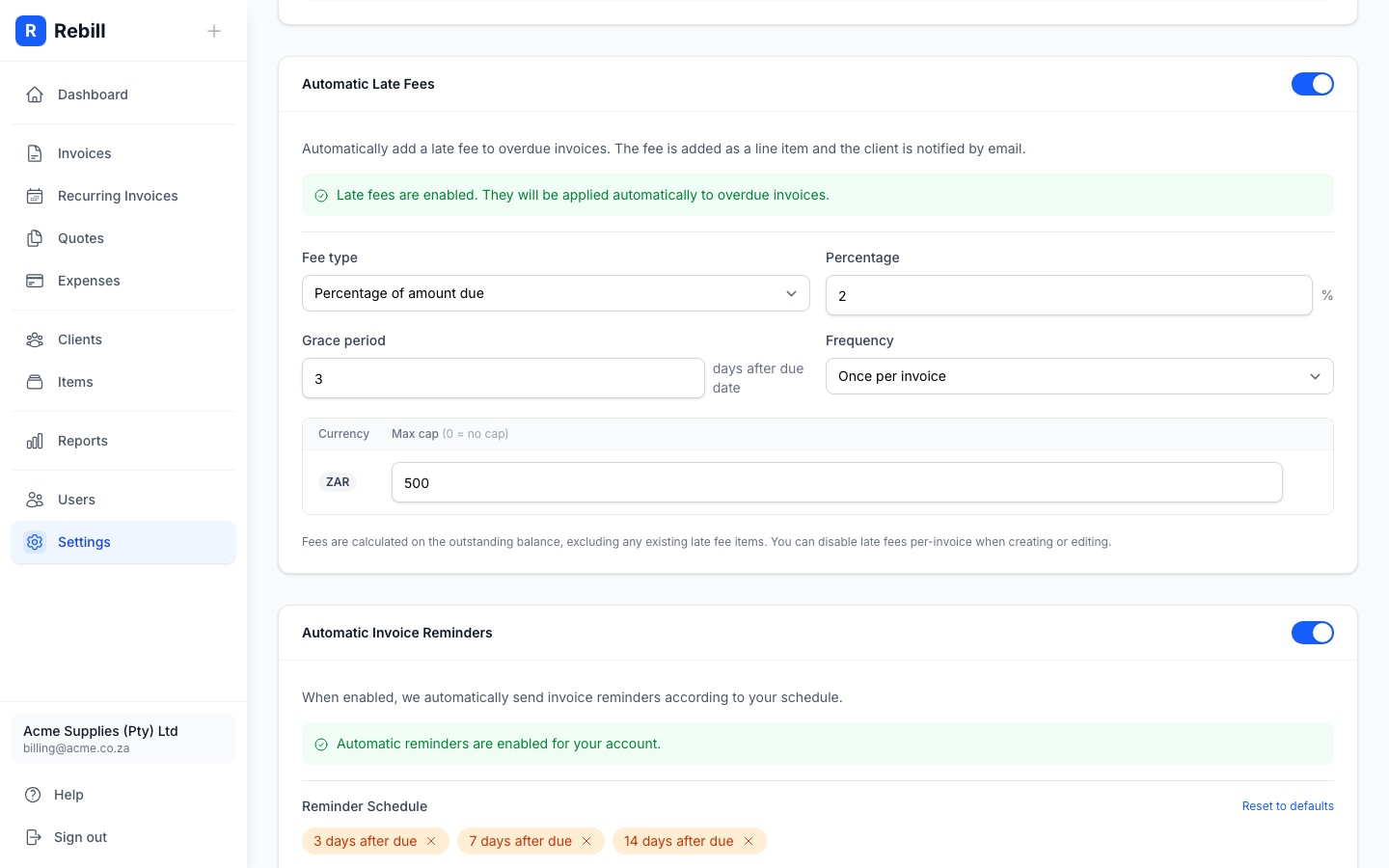
Configure the fee
Choose your fee settings:- Fee type: Percentage charges a percentage of the outstanding balance; Fixed charges a set amount per currency.
- Percentage (percentage type only): the rate applied, e.g. 2%.
- Grace period: how many days after the due date before the fee is first applied. Set to 0 to apply immediately on the due date.
- Frequency: Once per invoice applies the fee a single time; Monthly re-applies it every 30 days until the invoice is paid.
- Max cap: the maximum fee amount per currency. Set to 0 for no cap.
- 4
Save your changes
Click "Save Settings" at the bottom of the form.
Disabling late fees on individual invoices
You can exempt a specific invoice from late fees when creating or editing it. Look for the Late Fees option in the invoice form and toggle it off for that invoice.
How late fees are calculated
Late fees are calculated on the outstanding balance only — existing late fee line items are excluded to prevent compounding. The fee is added as a new line item on the invoice and the client receives an automated notification email when it is applied.What grace period should I set?
A grace period of 3–7 days is common for South African small businesses. This avoids penalising clients for minor banking delays (e.g. EFT clearing time) while still encouraging timely payment. For higher-value retainer clients, consider a 7-day grace period; for project-based invoices, 3 days is usually appropriate.